Add a Custom Fee
1 min
Once you've enabled Custom Fees on your account, you're ready to add your fee(s).
To add Custom Fees:
Click the Settings wheel icon (⚙️) in the upper right-hand corner of your admin panel.
Navigate the the Fees tab.
Scroll to the bottom of the page and click +Custom Fee.
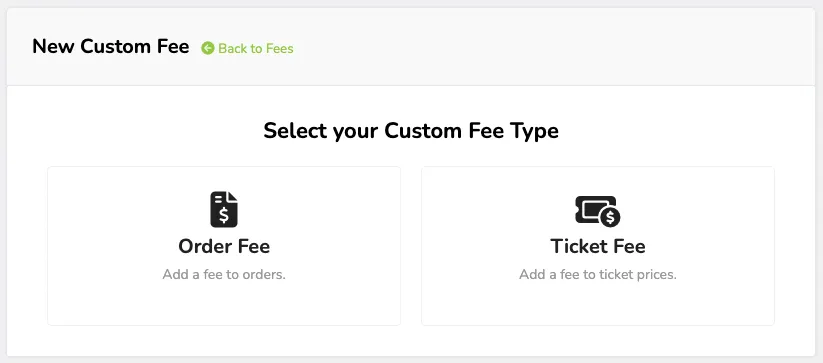
Choose whether you'd like to add an Order Fee or a Ticket Fee.
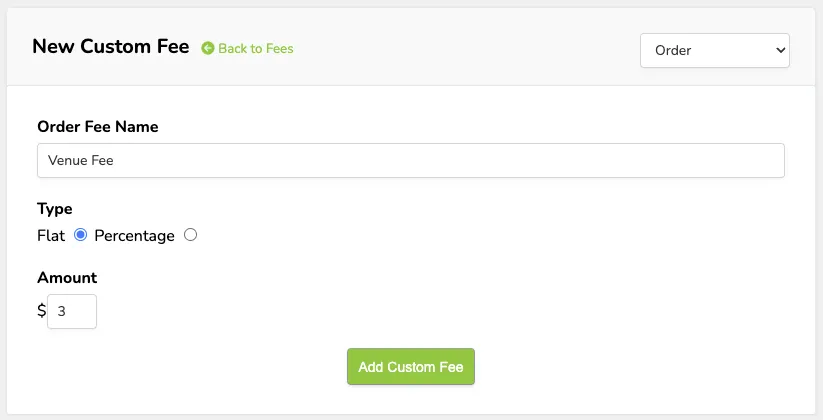
-For Order Fees, give your fee a name, choose whether it is a flat fee or a percentage fee, and insert the amount
-For Ticket Fees, Give your fee a name, choose whether it is a flat fee or a percentage fee, insert the amount, and click which event(s) and subsequent ticket prices the fee applies to.
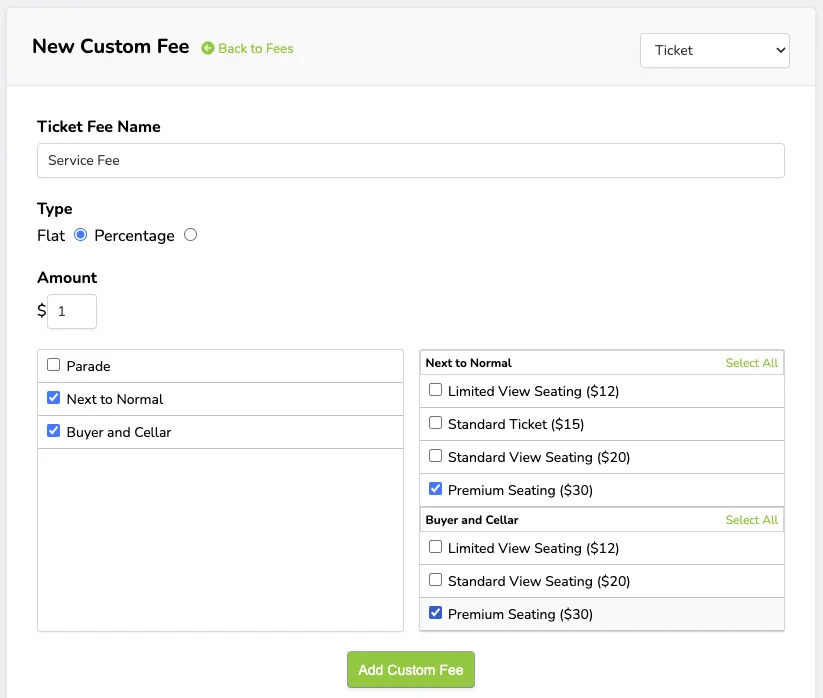
Click Add Custom Fee.