Collect payment for an Invoice
When an invoice is sent, recipients will have a link to pay online. However, there may be times when you need to collect payment via your admin panel. Maybe they want to pay over the phone, mail in a check, or maybe they just prefer to pay in person. Regardless, it is super simple to collect payment on an invoice.
To collect payment on an invoice,
From the top navigation bar, click More --> Invoicing.
On the main Invoicing page, find the invoice you want to pay and click View.
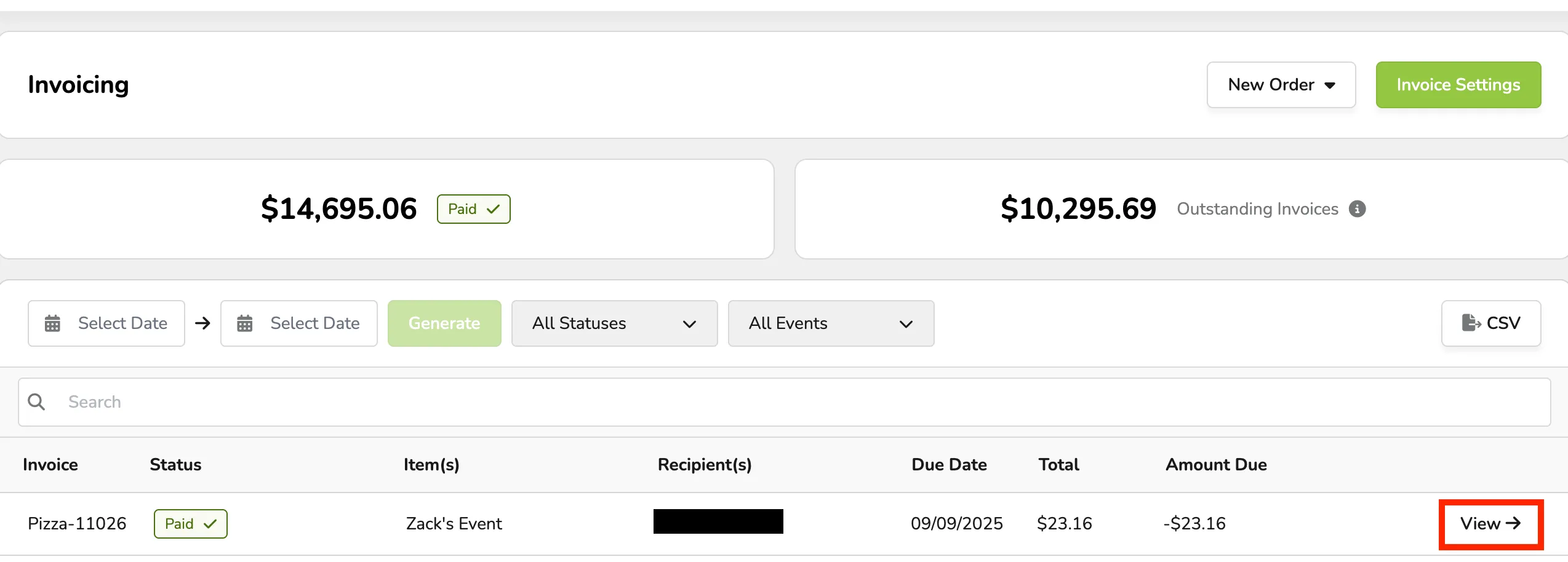
Check out Sort/Search Invoices for information on how to sort and find an invoice!
At the top of the page, click Collect Payment.

Use the drop-down menu to select the payment method (credit/cash). Any custom payment methods you have set up will also appear.
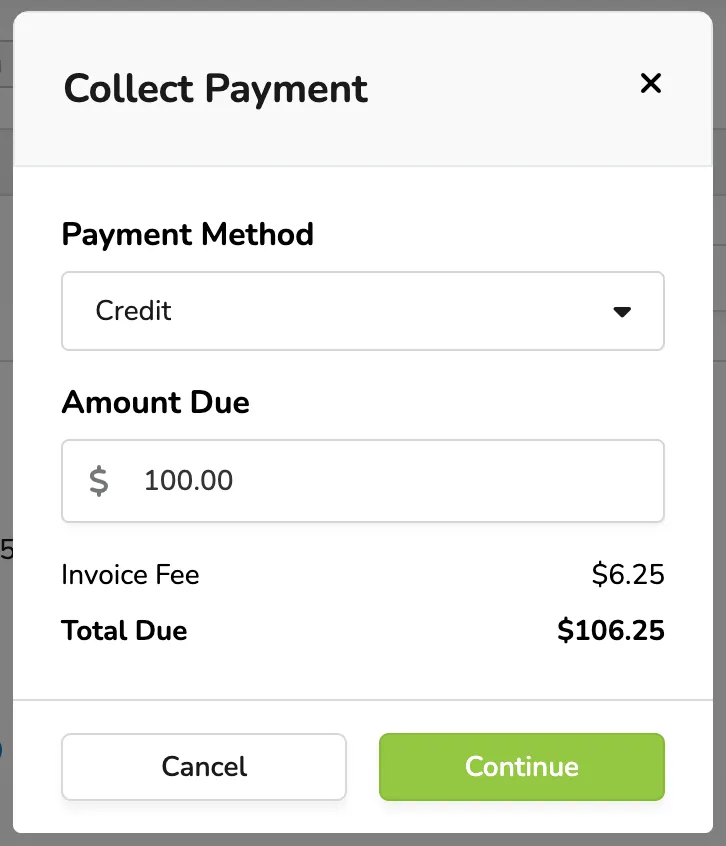
Click Continue or Collect Payment depending on the payment method.
The invoice will now appear as paid, and the patron will receive an email confirming it has been paid with a zero-dollar balance. In addition, they will receive an order confirmation for any tickets or registrations attached to the invoice.
The invoice will now appear as paid, and the patron will receive an email confirming it has been paid with a zero-dollar balance. In addition, they will receive an order confirmation for any tickets or registrations attached to the invoice.