Copy Add-Ons from another event
1 min
When setting up Add-Ons for a new event/collection, you might have ones that are similar to those of a previous event (i.e., you sell the same type of flowers for every event). Within Ludus, you can copy over the general settings of an earlier event's Add-Ons.
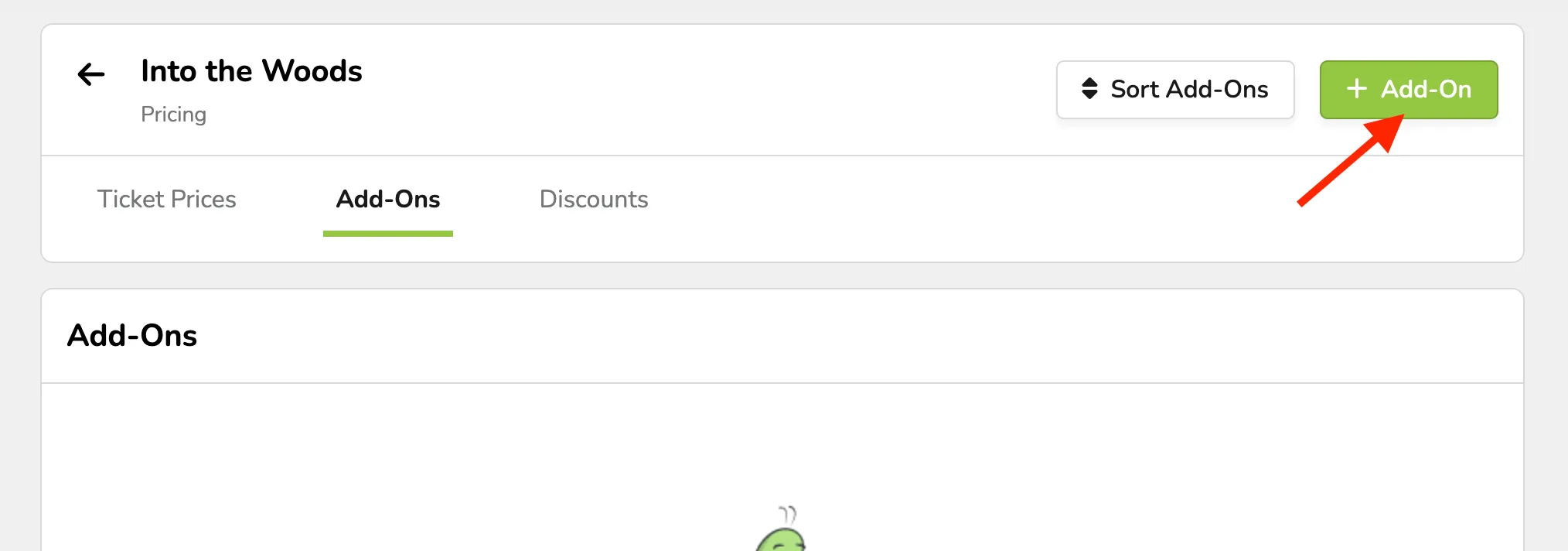
Go to the event/collection for which you'd like to set up Add-Ons.
Next to the title, click Pricing --> Add-Ons.
Click +Add-On --> and then Copy from Another Event
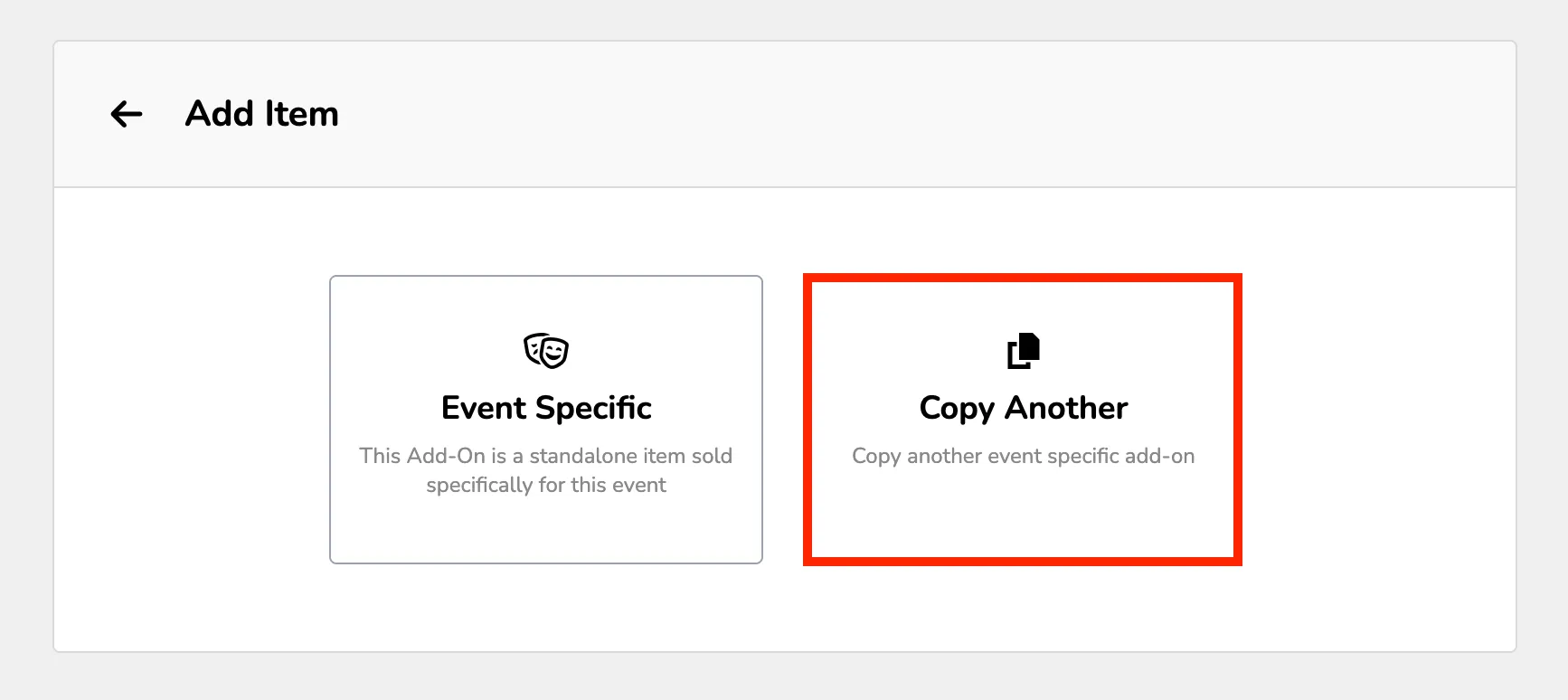
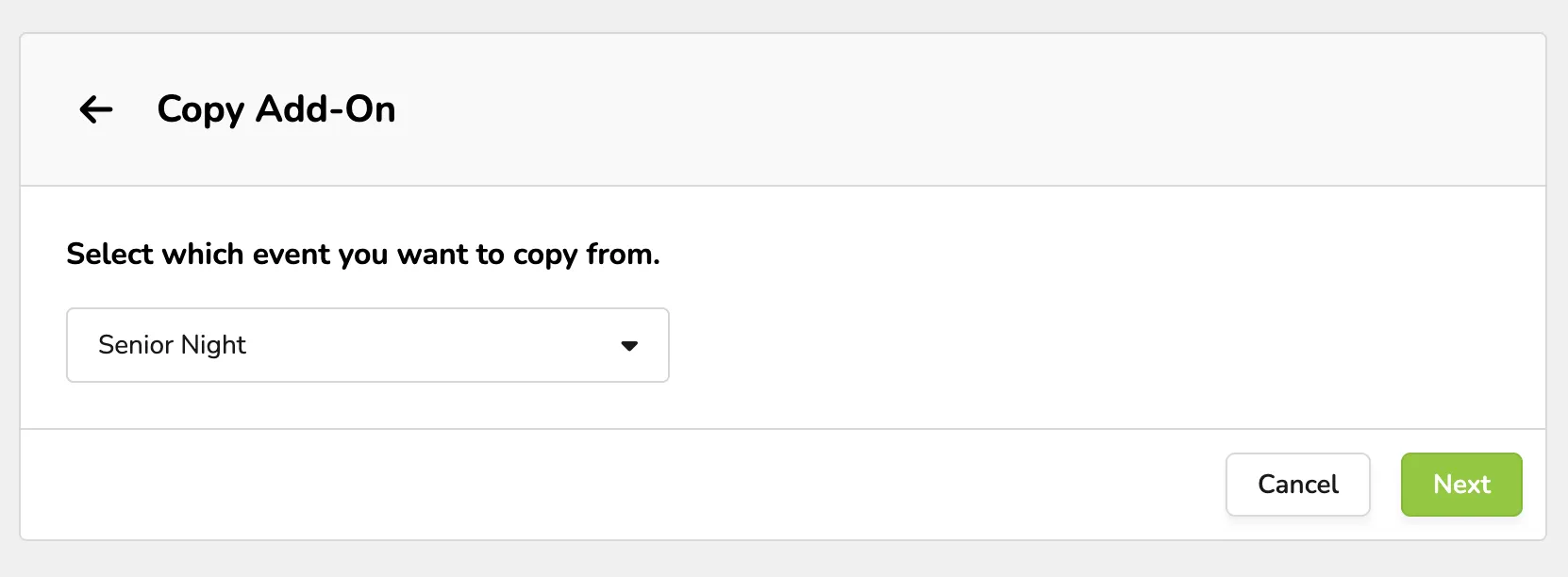
Choose the event that housed the Add-Ons you'd like to copy over.
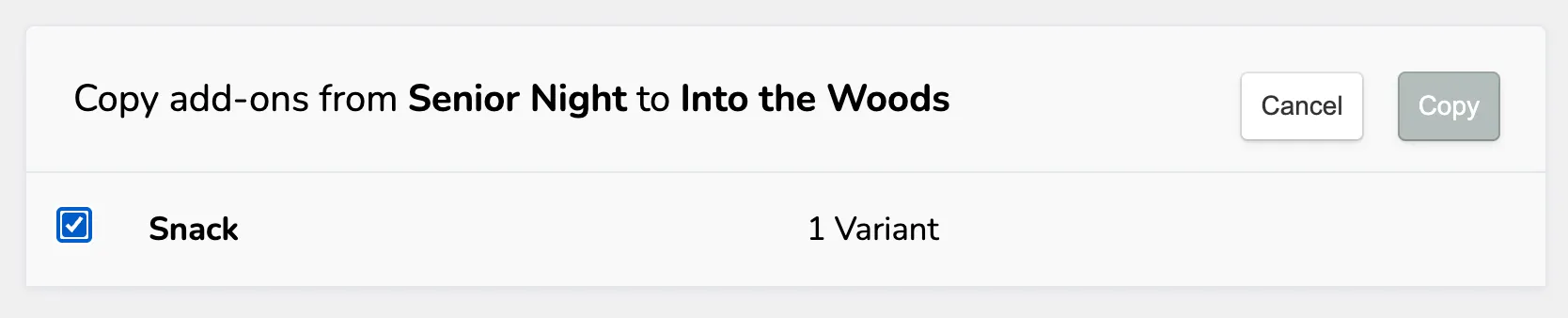
Check the box for each Add-On you'd like to copy over and click Copy.
Use the Edit button next to the Add-On to make any adjustments needed.
Inventories are tracked separately for Add-Ons. If you copy an Add-On, it will start fresh with whatever inventory you set.