Create Referral Links
Referral links are unique URLs that let you track how patrons arrive at your site to purchase tickets. You can post each link to the corresponding source (e.g., Facebook, Instagram, posters), then pull reporting to see how many ticket purchases came from each source. This is extremely helpful in understanding which of your marketing efforts are most effective.

To create a referral link:
On the main Events tab, find the event for which you'd like to create referral links. Next to the title, click More --> Share.
Scroll to the bottom of the page and click + New Referral Code.
Insert the name you'd like for internal tracking of the referral code. For instance, if it is the link you will put in your Instagram Stories, you can name the referral code "InstaStory".
The name of your code can not contain any spaces or special characters. Alphanumeric names only.
Click Add Referral Code to finish.
Now, you can copy the link and use it across your many marketing efforts! Any time a patron buys tickets after clicking that link, their order will include the referral code. This makes it incredibly easy to track where the most sales are coming from.
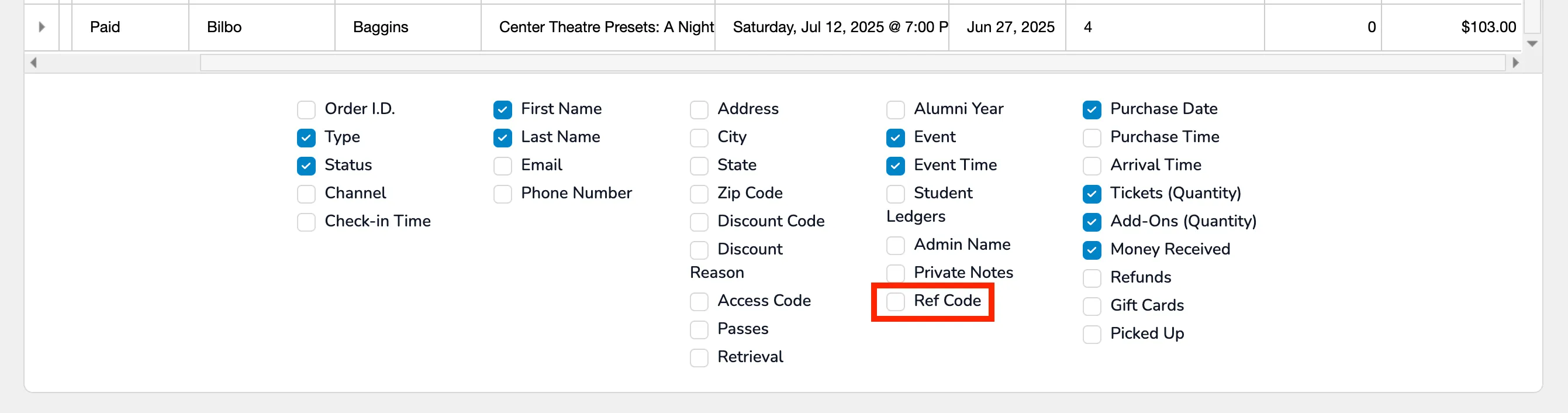
To find patrons who have used your referral link, go to your Event Reports (or Global Reports) -> select Tickets or Orders Report (depending on your preference) -> select Ref Code at the bottom of the report. By choosing this, you can view all patrons who used your referral link.