Create Volunteer Opportunity Categories
Similar to Event Categories , you can set up a variety of Categories to organize and sort your Opportunities.
This can be incredibly helpful if you have a variety of Volunteer Opportunities available and want to sort and view them in their specific categories (IE - School, Trips, Stage Help, etc.).
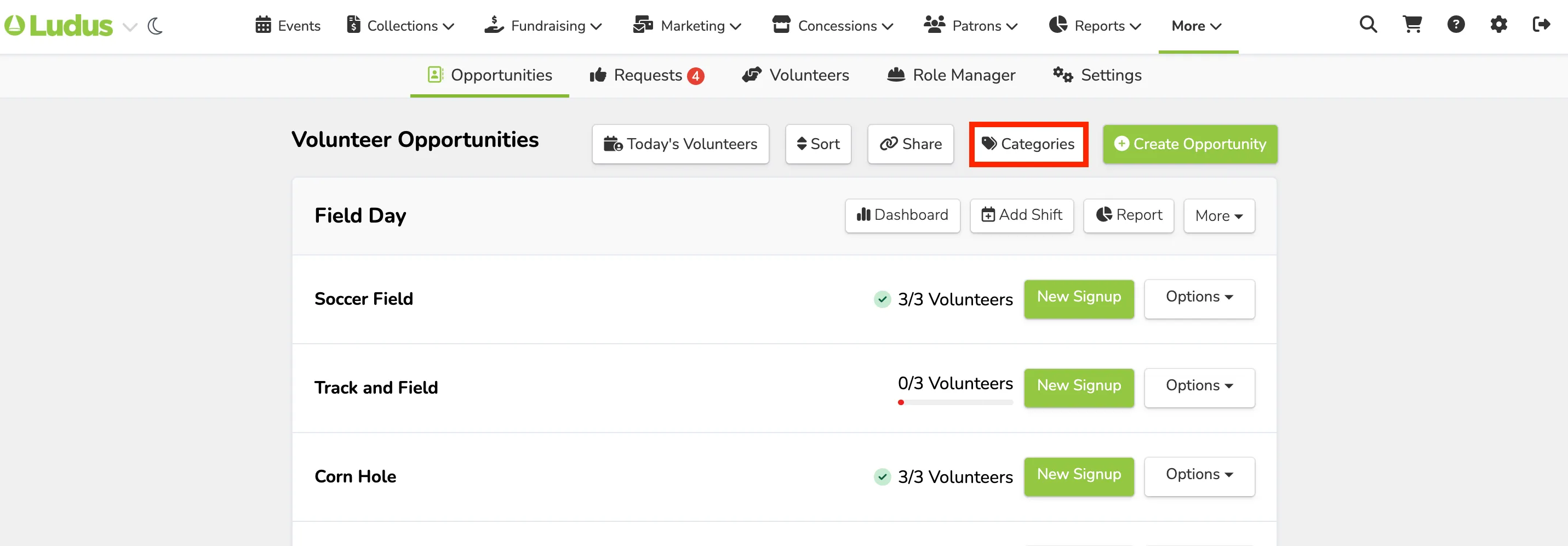
To set up an Opportunity Category, go to More (at the top of your account) -> Volunteers.
From here, you will select Categories (at the top of the Opportunities page).
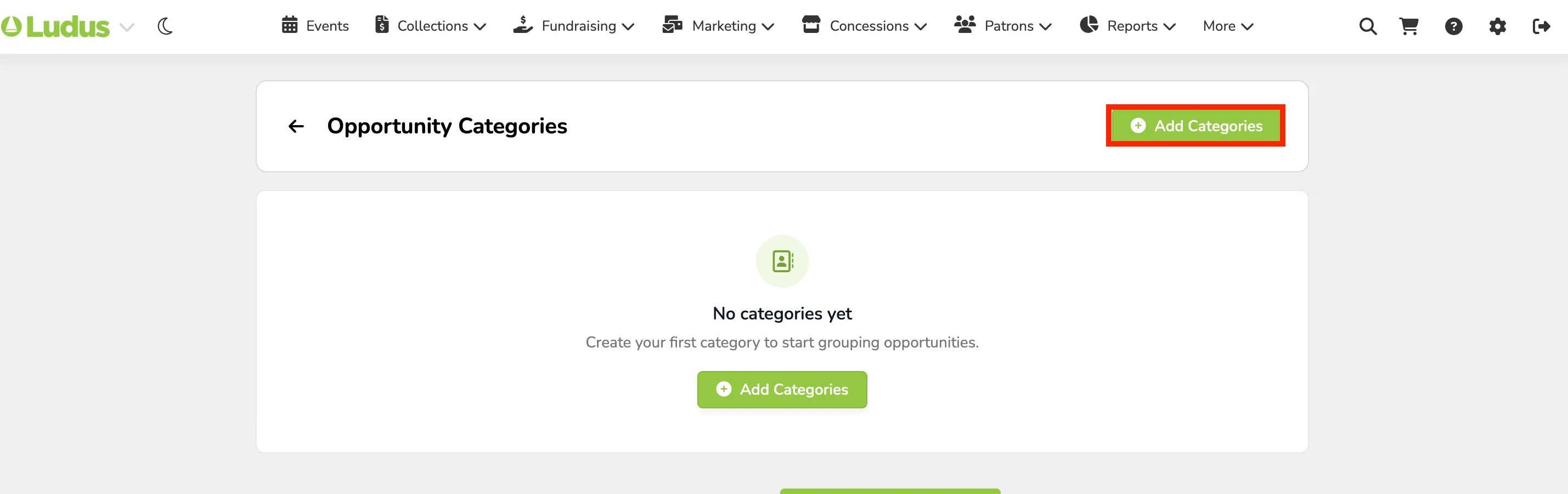
This will bring you to your Opportunity Categories.
From here, you can either create your first Category or add a new one by selecting +Add Categories.
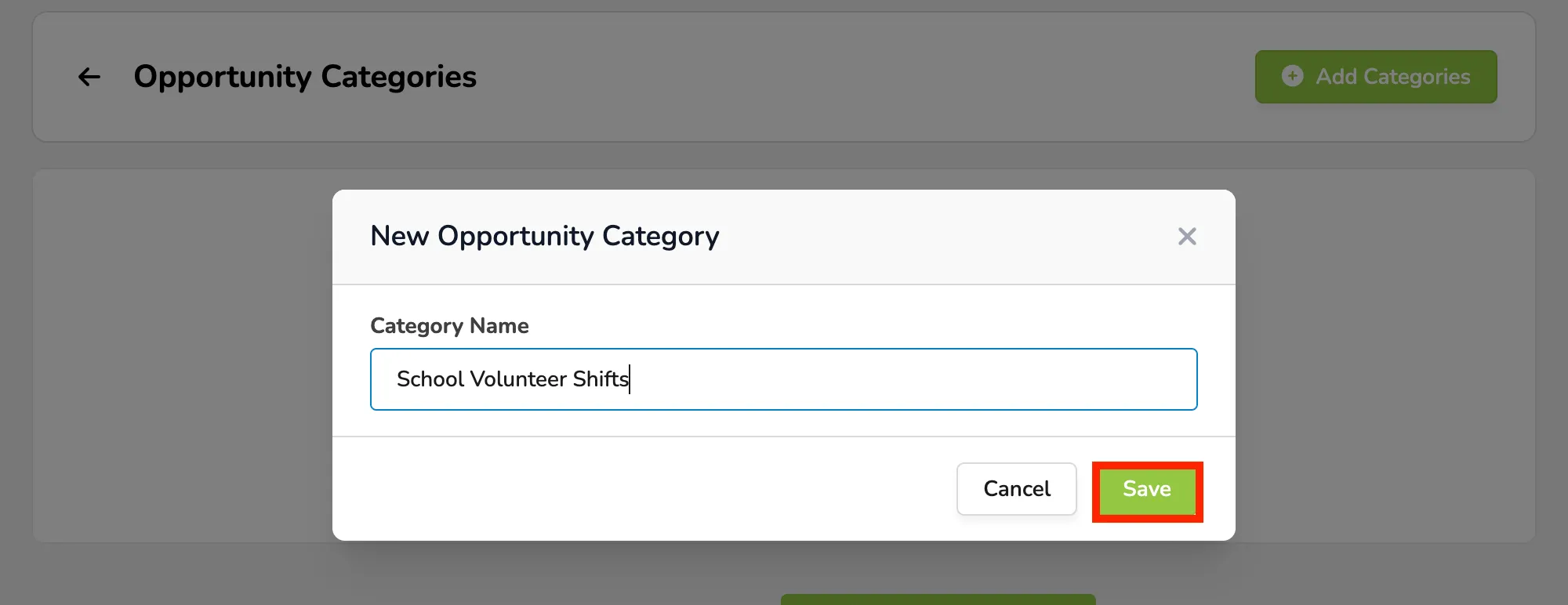
From here, enter your category and click Save.
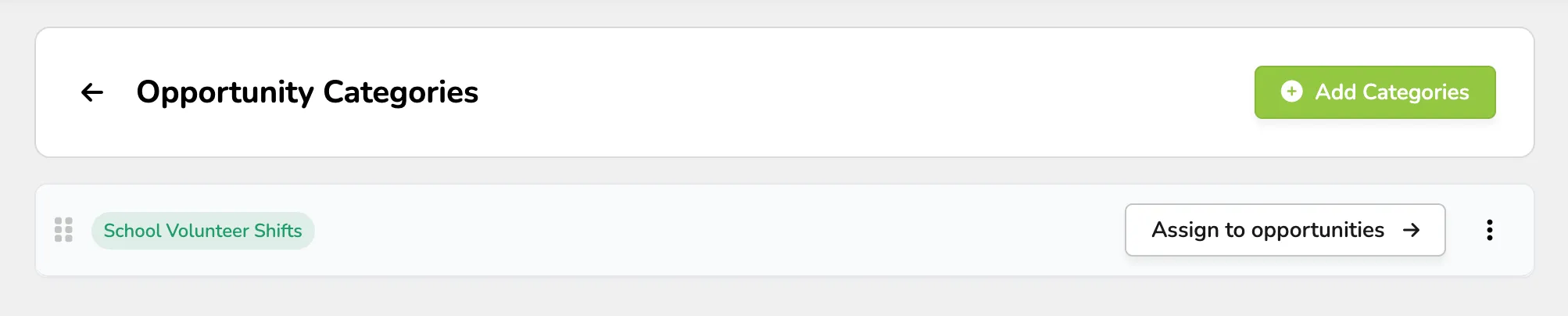
Once saved, select Assign to Opportunities.
Then select the Opportunities you want in the category and click Save.
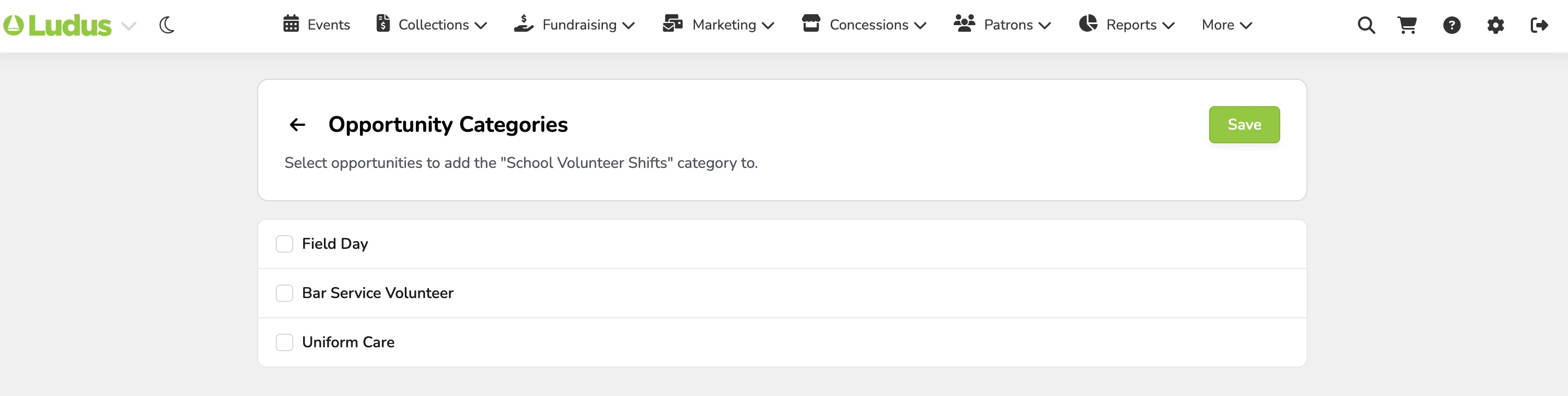
Once saved, go back to your Volunteer Opportunities page.
At the top of the page, you will find your created categories and can select and view the opportunities in those categories.
