Edit a Collection
0 min
To edit a newly created collection, navigate to Collections --> Standard. Then, next to the desired Collection's name, click Options --> Settings.
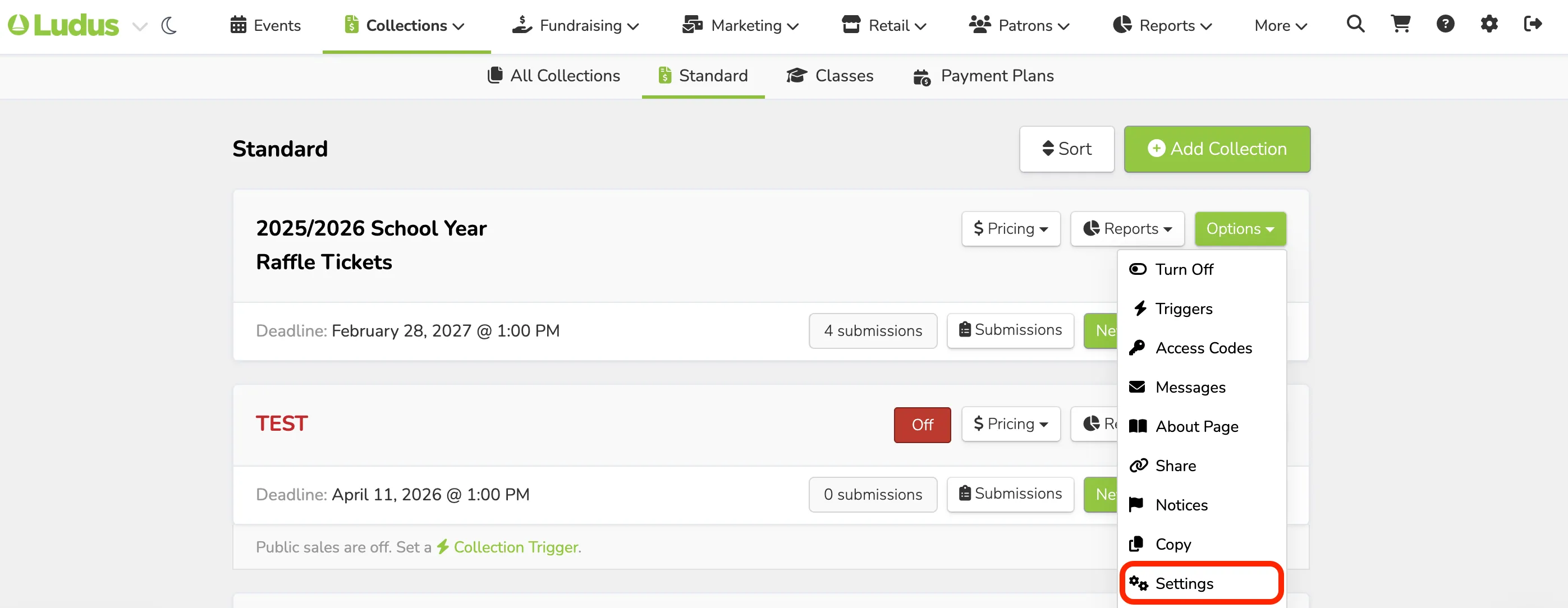
You will then be taken to the main setup page, where you can change settings as needed. To learn more about each section, check out this article.
Suggested Article: Add a Collection