Sell a Gift Card
3 min
Sell a Gift Card
Gift cards can be sold/issued via the admin panel or by patrons online.
Issue a Gift Card from the Admin Panel
Follow these three steps to issue a gift card from the admin panel:
- Navigate to gift cards by clicking More → Gift Cards.
- Click New Gift Card to start the process of creating your gift card.
- Select the payment type from the tabs at the top. Then, enter the gift card information and collect payment.
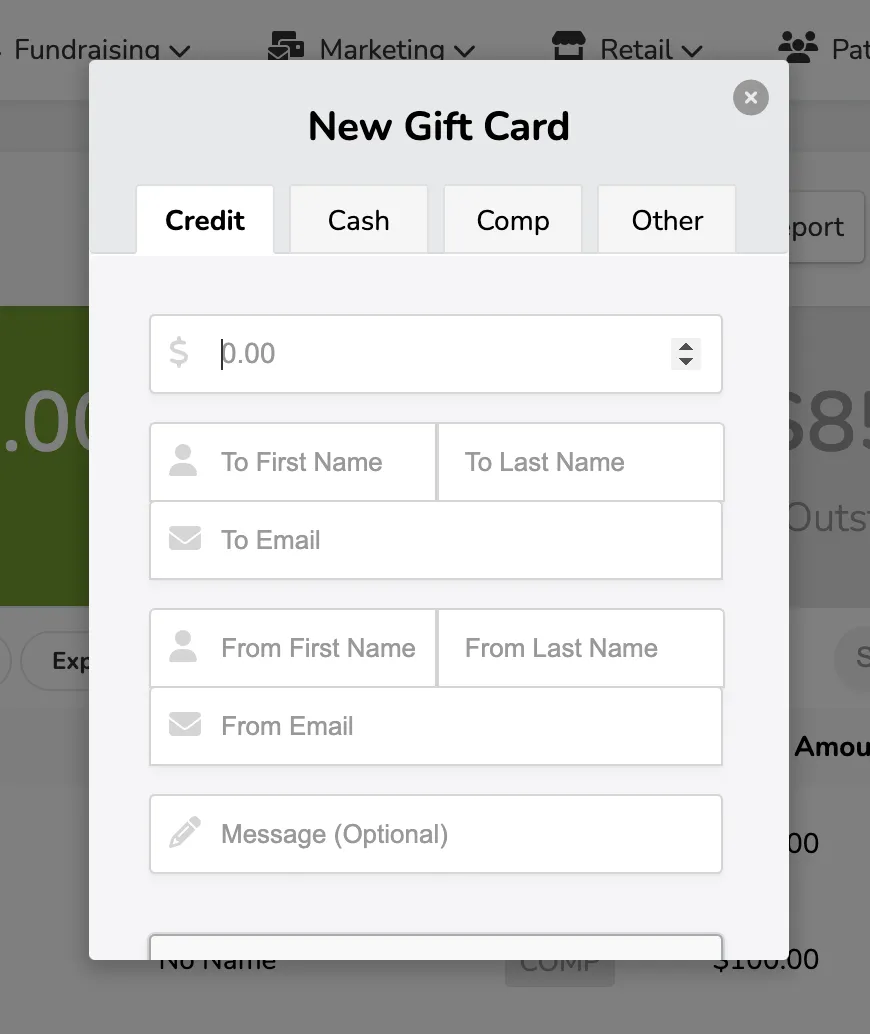
When finished and payment is collected, the patron will receive an email with the digital gift card and related information!
You can view all purchased/issued gift cards under Reports (at the top) → Gift Cards
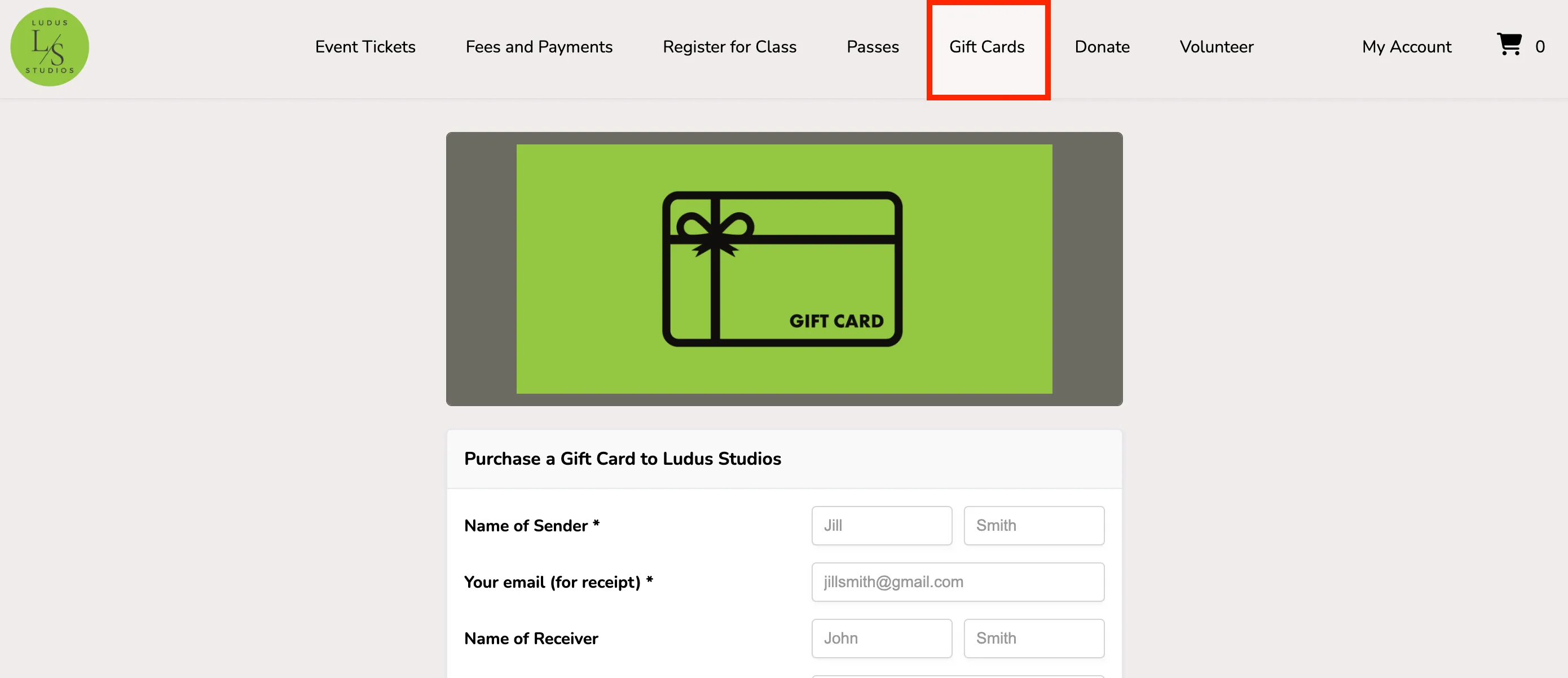
Purchase a Gift Card from the Patron Site
Patrons can navigate to the Gift Card tab to purchase a gift card. Once there, they can enter their information (or the information of the person they are buying for), and the gift card will be sent digitally via email.