Set up a custom Form for your Waitlist
2 min
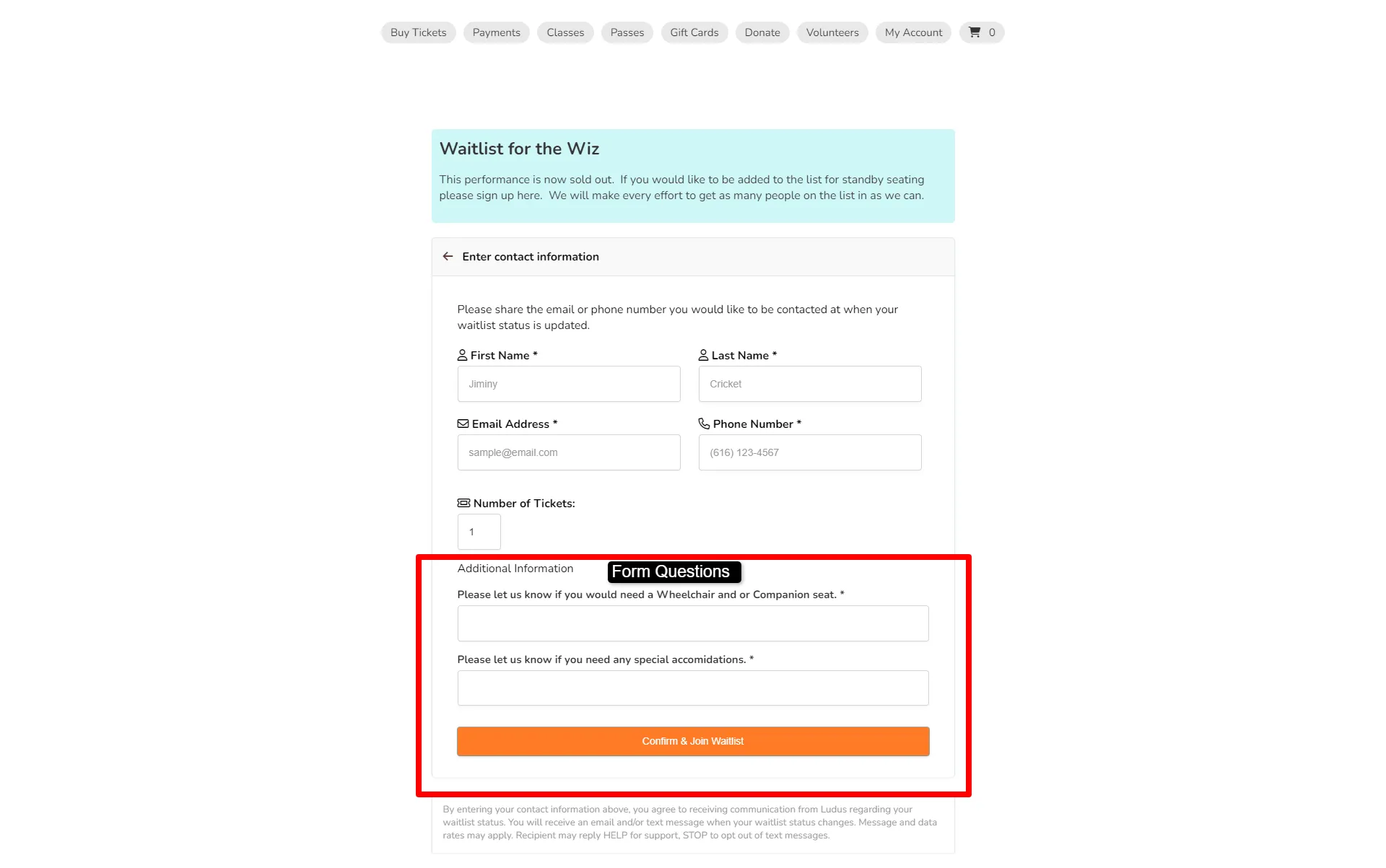
If you wish to ask any questions specifically to people signing up for the Waitlist, you can create a form for those signing up for the waitlist.
Set a form for Waitlist sign-up
Before starting, be sure to create your form ahead of time.
Suggested Article: Create a Form
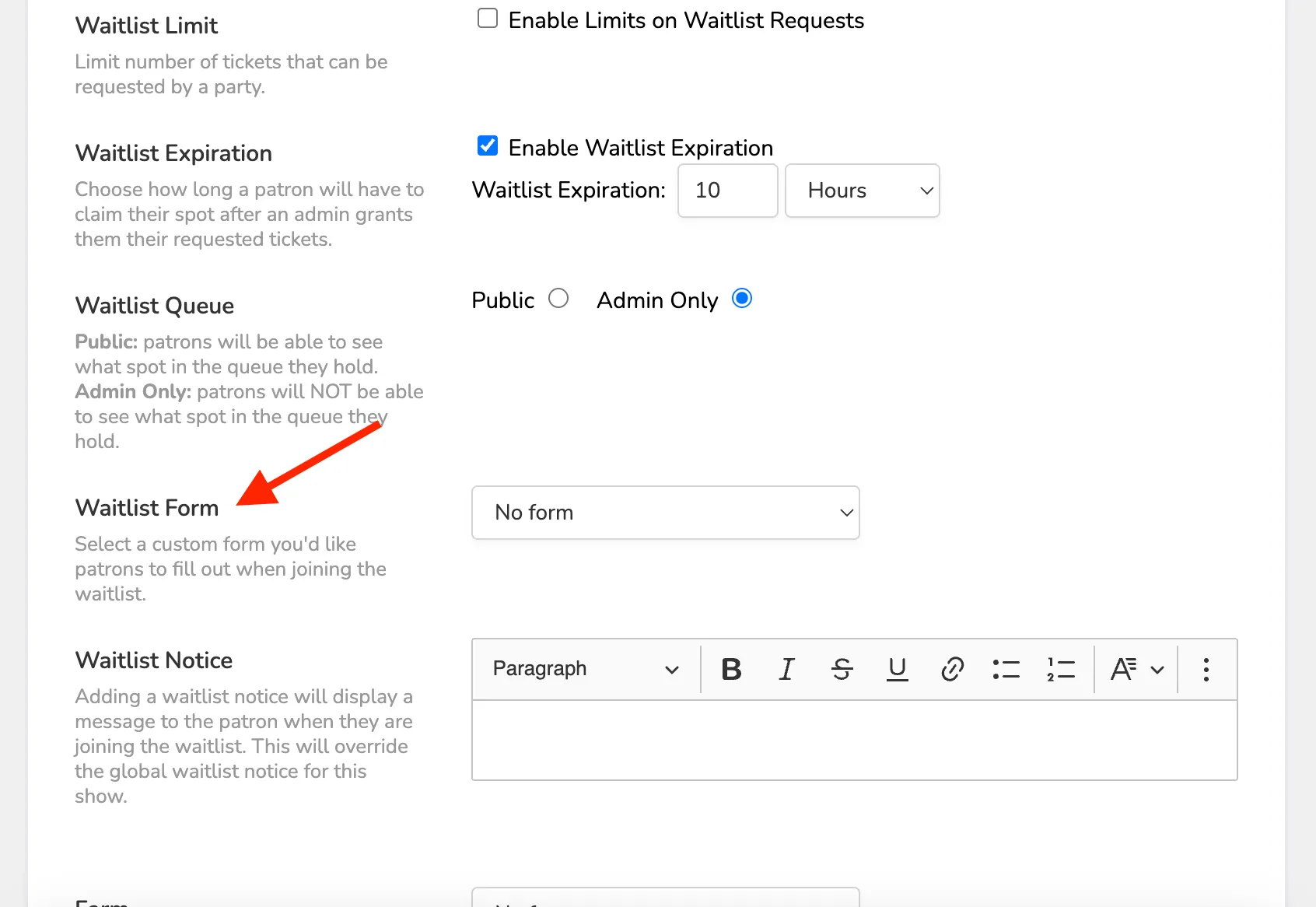
On the Event Settings page, you will first set Waitlist to on for your event. This can be done while building your event, collection, or class. Or by navigating to More or Options, next to the event, and selecting Settings. The Waitlist feature is located under Additional Options.
Scroll down to the Waitlist Form selector and select the correct form from the drop-down.
Save your event.
You patrons will see the form at the bottom of the Waitlist sign-up screen as shown below.