Waitlist
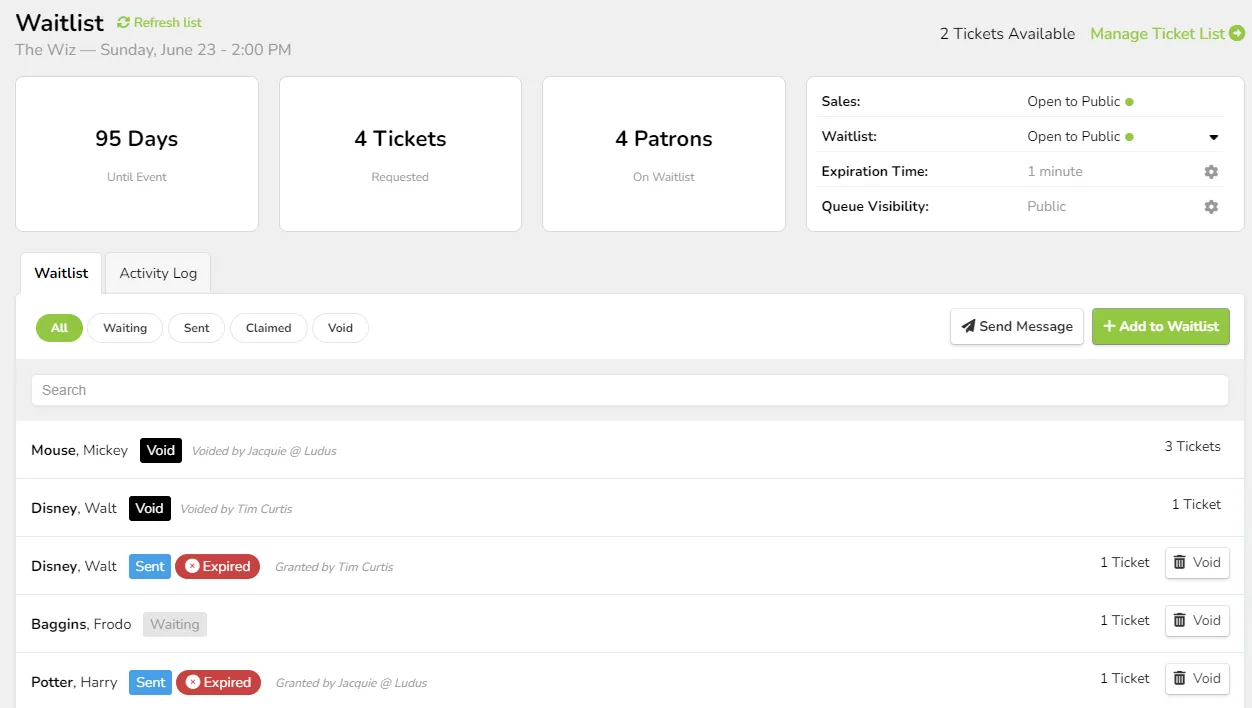
What can this feature help with?
The Waitlist feature adds a "Join Waitlist" button to your Events and Classes, allowing patrons to join the waitlist when your event sells out (you can also manually add parties to the waitlist even before it sells out).
Why use this feature?
Similar to joining a restaurant waitlist, your patrons can see their spot in line and receive a text when you allow them to purchase tickets if any spots become available. This makes the process less frustrating and more upfront for both you and the patron!
What makes this feature so special?
Ludus was built for the performing arts by people who care about them, and we want to make your life easier. The Waitlist feature was created to make it easier to manage your sold-out events/classes and allow patrons a way to see the "line" and the opportunity to get tickets. This includes:
- A view of the active waitlist
- How long patrons have been on the waitlist/how many tickets they need
- The ability to send messages to patrons on the waitlist
- Manually add to the waitlist from the admin panel
So how does this feature work?
This feature can be enabled under the event or class (either when it is set up or when it is sold out). Once this is enabled, the waitlist option will appear on the patron site when the event is sold out.
How do I enable Waitlists?
Waitlists can be enabled with the following steps:
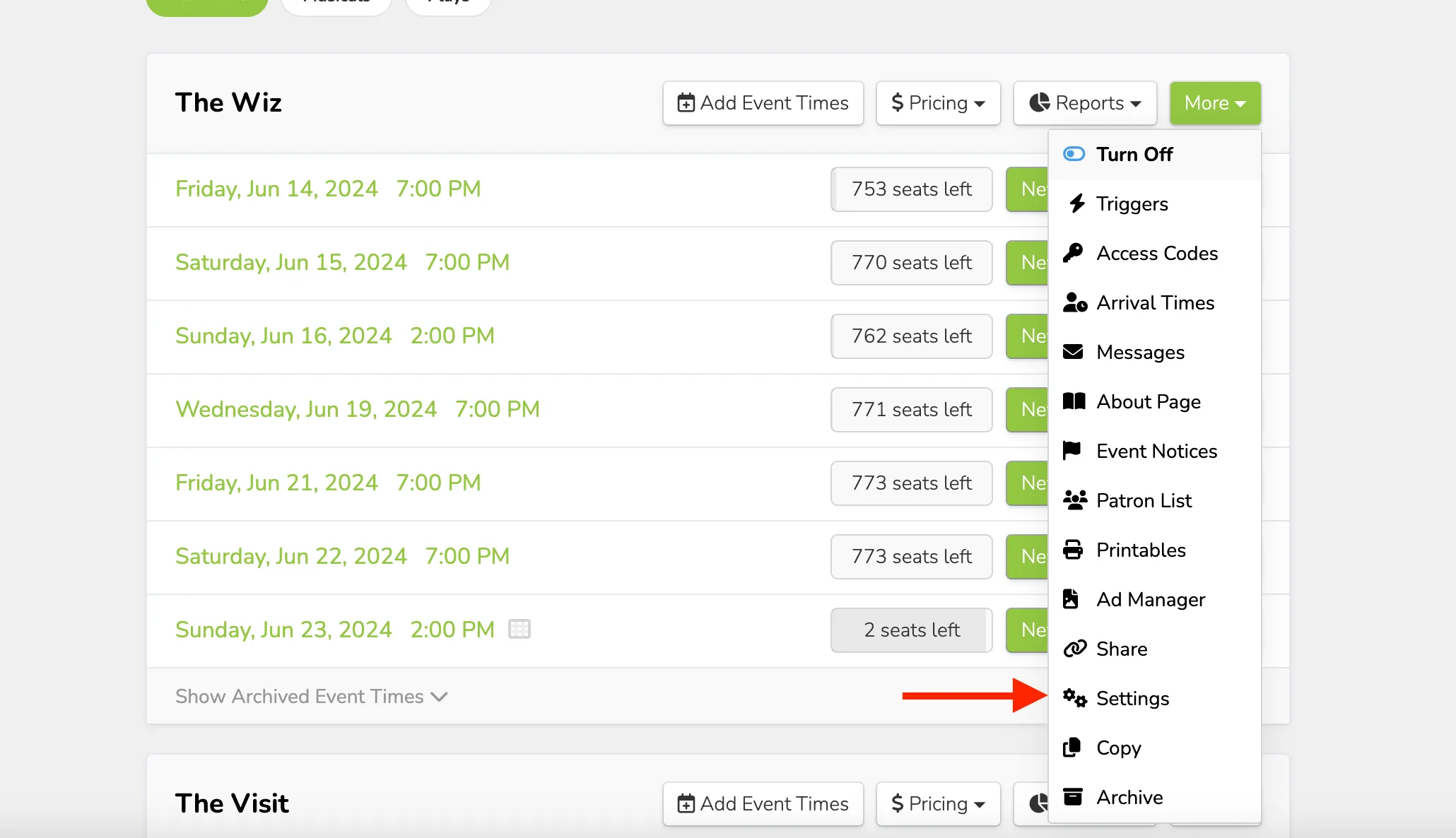
Navigate to More (next to the event) -> Settings.
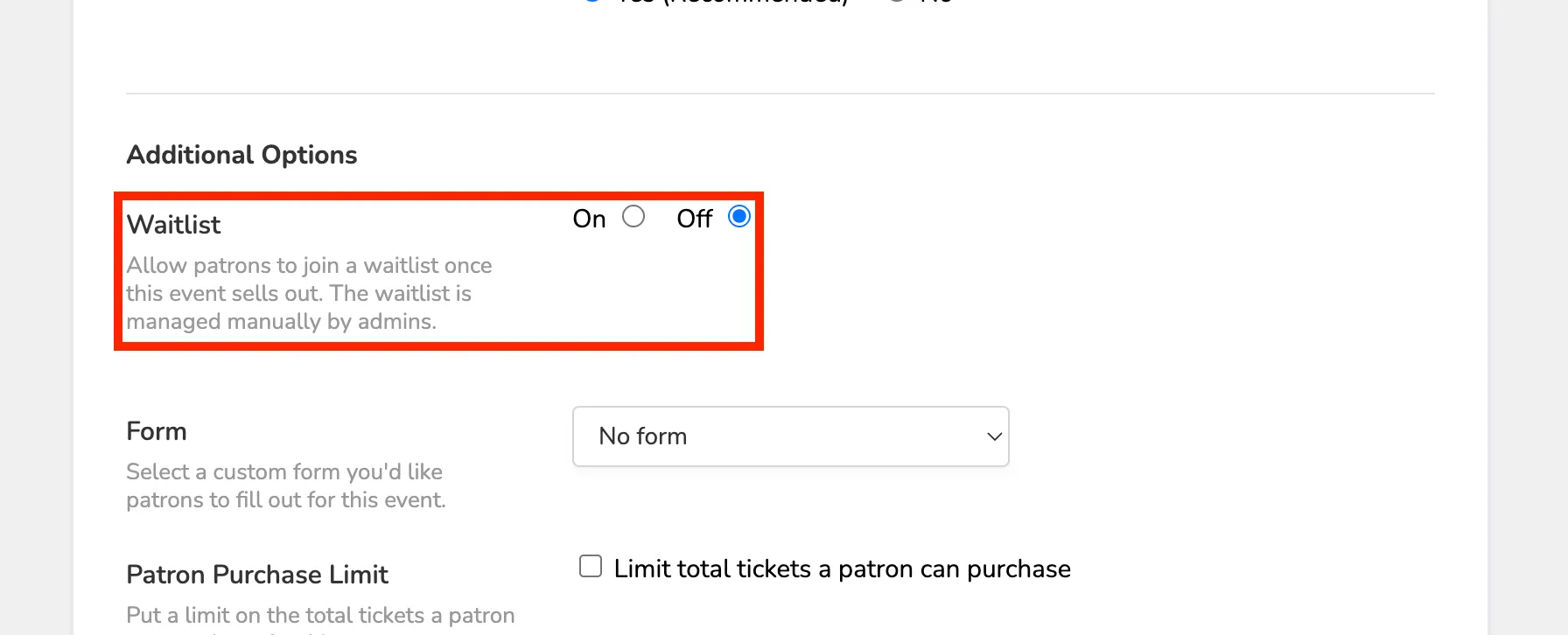
Once there, scroll down to Additional Options -> turn the Waitlist to "ON".
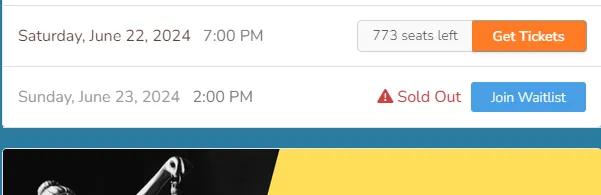
Once enabled, the Waitlist will appear for all sold-out event times, allowing patrons to join as needed.
Admin Site view:

Patron Site view:
Waitlists can be disabled the same way that they are enabled. If you want to turn it off at any point, go to More (next to the event) -> Settings -> Additional Options -> turn the Waitlist "OFF".
Learn More: