Add paper check payout option
2 min
With paper checks, you can set one or multiple payment options. If you have multiple different check options, you can set where a check is sent depending on the event, collection, donation category, etc.
Suggested Article: Set alternative check methods per event/donation/etc.
Information needed
- The "Pay to Account" name
- A Mailing Address
- An EIN/Tax ID
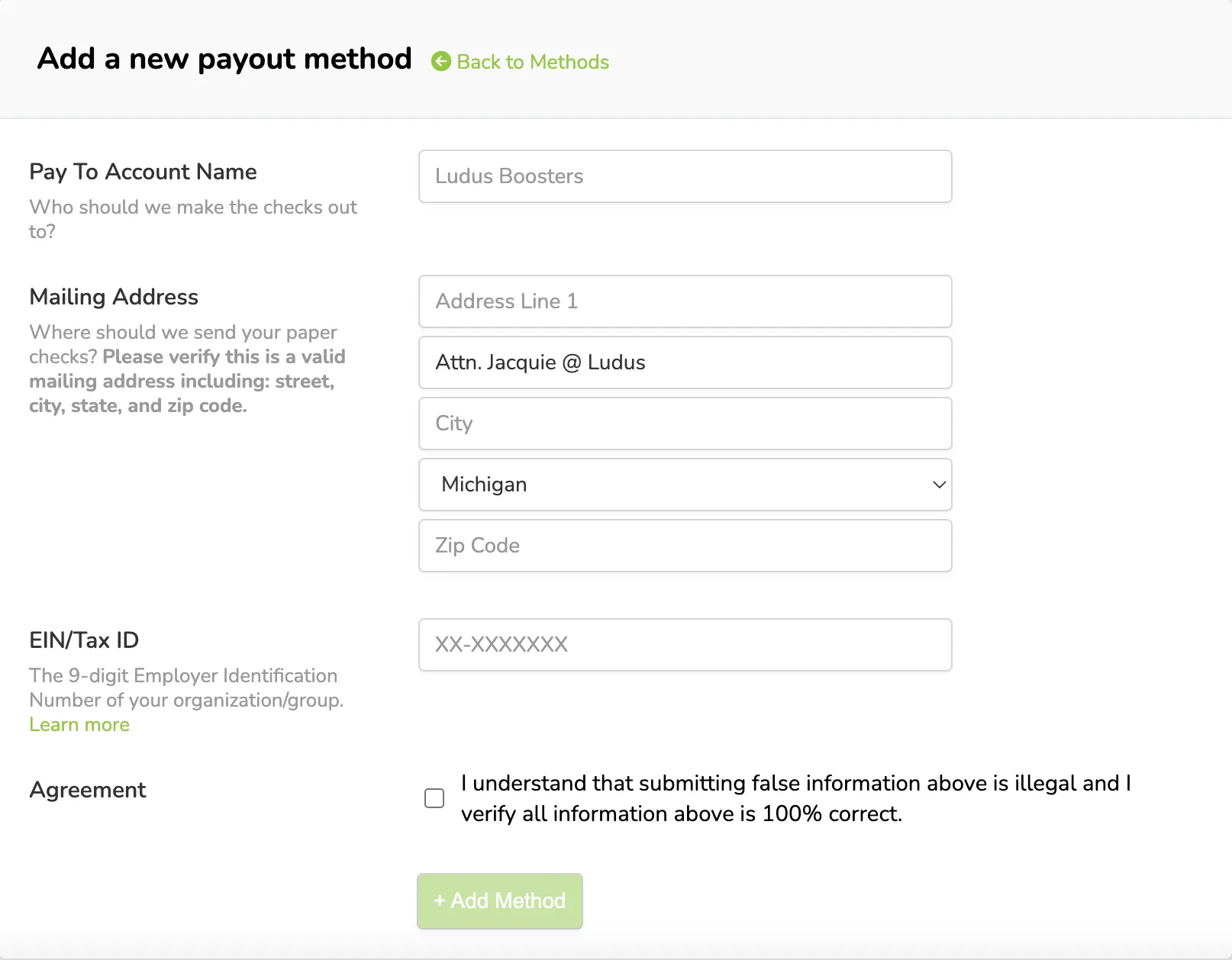
With that information, you will be able to set up checks as your payout method.
Add a new paper check payment option
To add a paper check option:
Click the Settings wheel icon (⚙️) in the upper right-hand corner of your screen.
Navigate to the Payments tab.
Click +Add Payment Method.
Fill out the appropriate details and click +Add Method.
If you have multiple check payout methods, repeat steps 4 and 5 as needed.