Set alternative check methods per event/donation/etc.
One of the perks of paper check payouts is that you can assign different recipients for each event, collection, class, donation category, pass, etc. Check out the drop-down menus below to learn where to find the check option setting for each item within Ludus.
These menus will only appear once you have multiple check methods set up. To learn more about setting up a check payout method, check out this article.
Suggested Article: Add paper check payout option
For Events
On the main Events tab, locate the desired event.
Click More --> Settings.
Scroll to the bottom and click Additional Options.
Next to Payout Method, use the drop-down menu to select the desired option.

For Collections
From the top navigation bar, click Collections --> Standard.
Next to the desired Collection title, click Options --> Settings.
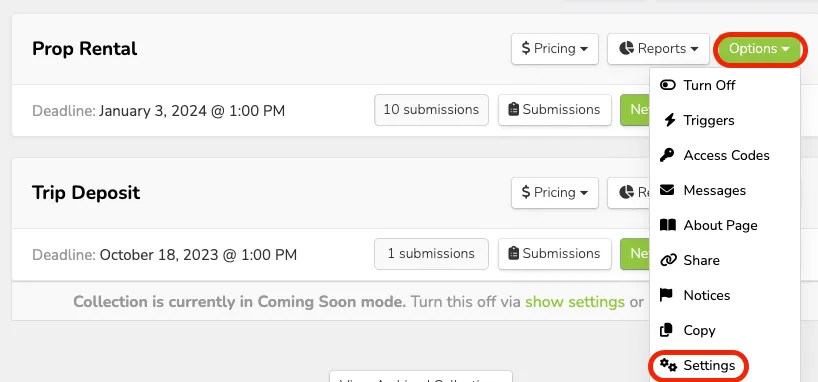
Next to Payout Method, use the drop-down menu to select the desired option.
For Classes
From the top navigation bar, click Collections --> Classes.
Next to the desired Class title, click Options --> Settings.
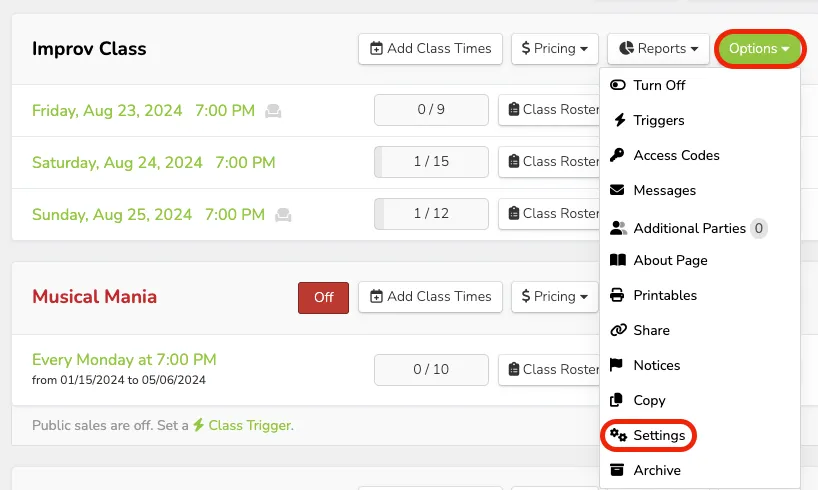
Next to Payout Method, use the drop-down menu to select the desired option.
For Donation Categories
By default, general donations will be sent to the primary payment option on the account.
Suggested Article: Choose a primary check option
If you have different Donation Categories, you can route checks to different recipients based on the donation category (e.g., if you have a category for choir, one for band, and one for orchestra, you can set corresponding recipients for donation checks).
To set up Donation Categories, be sure to read through this resource - Donation Categories
To set the payout method on a donation category:
From the top navigation bar, click Fundraising --> Categories.
Next to the desired category, click Edit.
Next to Payout Method, use the drop-down menu to select the desired option.
For Passes
Proceeds will be sent to the primary method on the account.
Suggested Article: Choose a primary check option
For Gift Cards
Proceeds will be sent to the primary method on the account.
Suggested Article: Choose a primary check option