Forms
With the Forms feature, you can add custom questions to ask your patrons and attach those questions to specific transactions.
Video Overview:
What can this feature help with?
Forms are among the most versatile tools in Ludus. With the Forms feature, you can add custom questions to ask your patrons and attach those questions to specific transactions. So if they are buying tickets to an event, you can ask them a set of questions. If they are donating, a separate list of questions may be required. Same for passes, classes, collections, and more.
Why use this feature?
You can ask the questions on the form whether they are buying a specific ticket type or a registration price. For instance, let's say you have two ticket types: Adult and Student. You can set up your sales so that when someone buys a Student ticket, they get asked a set of questions, but if they buy the adult ticket, they get asked a separate set of questions or none at all.
What makes this feature so special?
Ludus was built for the performing arts by people who care about them, and we want to make your life easier. The Forms feature is one of the most versatile in Ludus, with many capabilities, including:
- Field Customization
- Text
- Paragraph
- Checkboxes
- Multiple Choice
- Dropdown
- File Upload
The types of files that can be uploaded (up to 10MB):
- jpeg
- png
- gif
- csv
- xls / xlsx
- Attach to specific Classes, Collections, Events, tickets, fees, and more
- Share a Form independently
So how does this feature work?
The Forms feature is managed under More -> Forms. From here, you can create Forms. Once they are created, you can attach them wherever needed across your Ludus account.
How do I start creating Forms?
Log in to your Ludus admin panel and navigate to More → Forms in your top navigation.
Select the Create New Form button → name your form → and click Create Form.
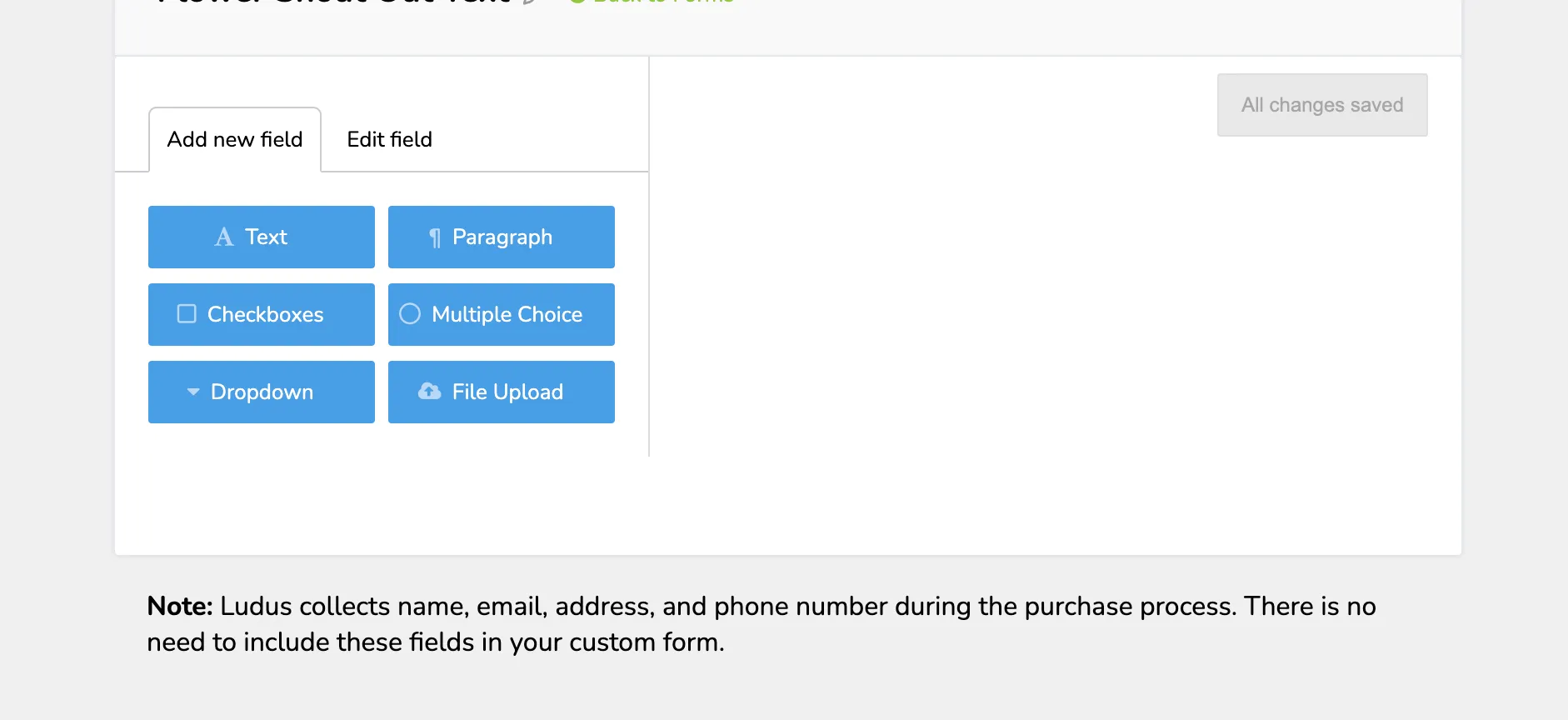
Under Add New Field, click the field type you want to include. The various field types are:
- Text: short answer text field
- Checkboxes: multiple answer checklist
- Dropdown: single answer dropdown
- Paragraph: long answer text field
- Multiple Choice: single answer selection
- File Upload (including):
- jpeg
- png
- gif
- csv
- xls / xlsx
If using the "File Upload" Form Field, the maximum upload size is 10 MB.
Under Label, change the title of the field → add a description → and adjust your options.
Fields can be marked as required.
Labels are required and must have a unique name.
Duplicate your fields and delete fields using the + / - buttons.
Click Save Form when you are done, as this will save the Form and make it available for attachment to various items in your admin panel.
FAQ's
Will patrons' orders time out if the form is long and takes time to fill out?
Short answer: No! There is no need to worry about a patron's order timing out as abandoned due to the time required to complete the form. As long as the patron continues to interact with the order process while filling out the form, the order will not time out, allowing patrons to take their time.
If a patron stops interacting with the form, then the cart timer will continue to count down.
Learn more: