Students
Video Overview:
What can this feature help with?
Students is an overall feature allowing you to view and track students separately from Patrons. There are two main ways to utilize the Students feature. Regardless of which method (or both) fits your needs, the Students tab will be your centralized hub.
Why use this feature?
This feature is especially helpful for groups running classes or those who would like to give credit to students (or even cast/crew) for ticket sales and more.
What makes this feature so special?
Ludus was built for the performing arts by people who care about them, and we want to make your life easier. The Students feature has a few key capabilities:
- Students as Class Registrants: Students will be added to your database once they have been registered for a Class. Part of registering for a Class is creating a student profile. This profile will live under the Students tab here.
- Students for tracking sales (More common for K-12 organizations): If you have a group of students in your program (like a high school theatre department), you can upload a list of students and track how many sales are associated with each student. (e.g., You can have a sales competition for your students involved in a production. At checkout, patrons can insert the name of a student who persuaded/informed them to buy tickets. Then, you can see a log of how many tickets a particular student "sold")
So how does this feature work?
Once you have decided to use the Students feature, you can manually add or upload students to Ludus. Once these students are added, as shown above, there are a few options for how to use them. They can serve as the base for your Classes (if you choose that premium feature), or you can allow patrons to select the student's name at checkout (to give them credit).
How do I start using the Student feature?
If you have a large list of students to import into the Ludus system, you can bulk import them from the Students tab. To do so:
Create a CSV file of your student information. Each bit of information should be in its own column. At a minimum, the file should include the student's first name, last name, and email.
Here's a sample of what that CSV could look like and the information that can be imported.

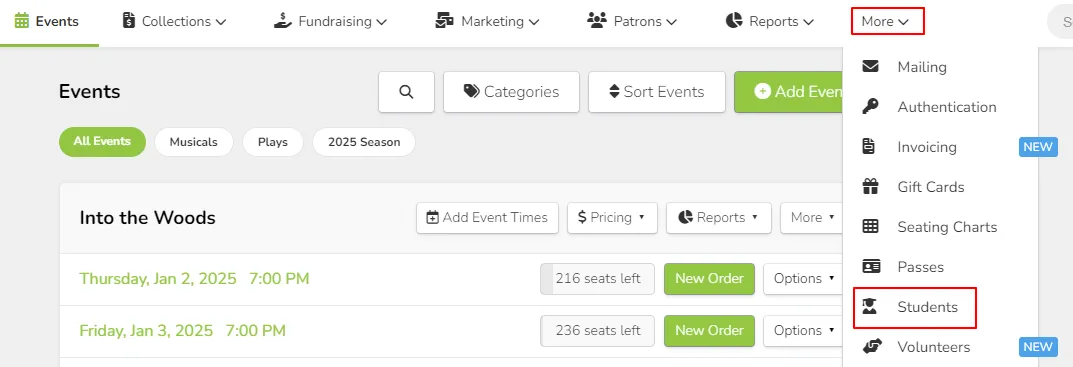
Once you have your list, click More --> Students from the top navigation bar.
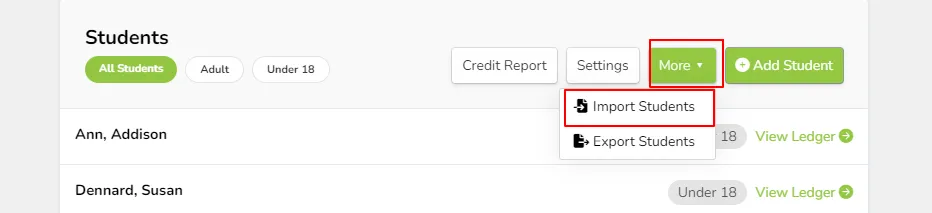
At the top of the Students page, click More --> Import Students.
From the import tool, choose the file you'd like to upload and click Continue.
Use the drop-down menus for the columns to ensure that they match up with the field you want to import.
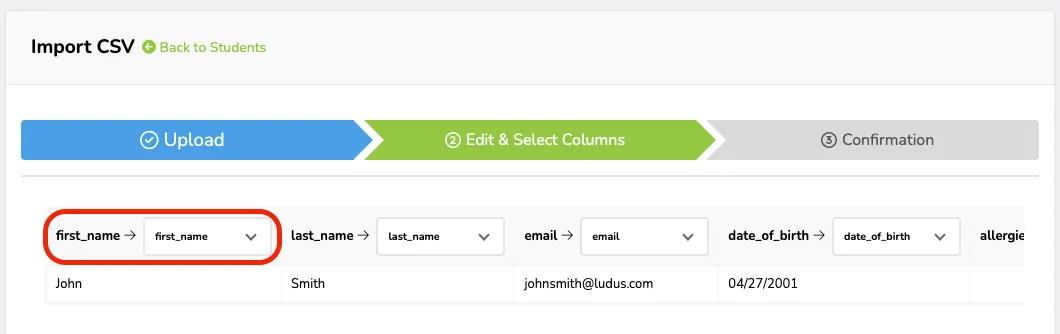
Click Import.
Larger lists (1,000+ rows) might take a few moments to import. If you experience issues, please contact Ludus support.
If you want to add students individually (for example, if you have a short list of students to add):
- Start by going to More (at the top of your admin panel) -> Students.
- From here, you can use the +Add Student button. When selected, you will be prompted to fill in the information for that student.
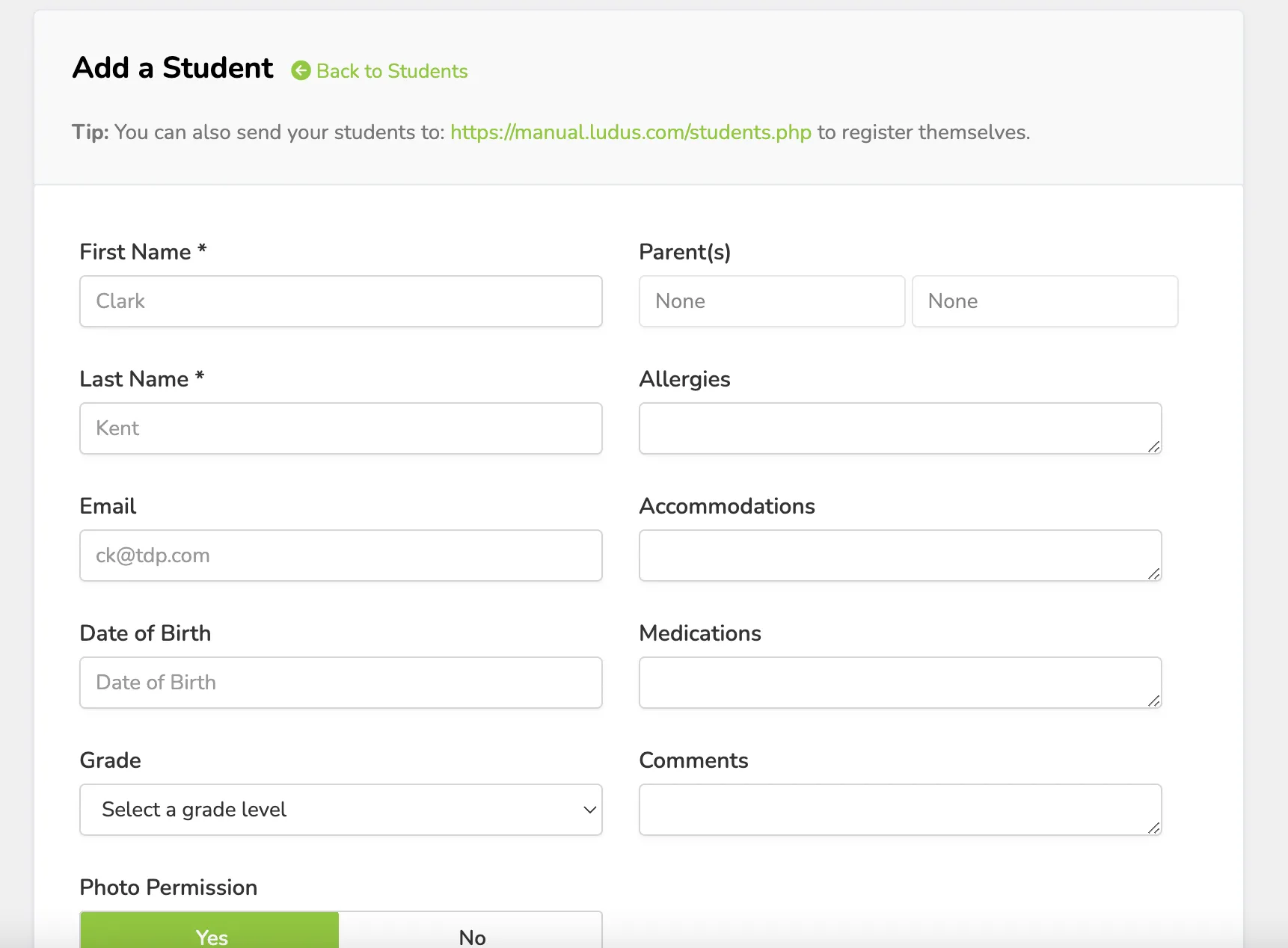
Be sure to save once the information is added.