Daily Summary Email
2 min
The Daily Summary Email is a great way to receive daily sales information directly in your email. This feature can be enabled by going to Settings (the gear at the top of your account) -> Notifications.
Suggested Article: Notifications Center
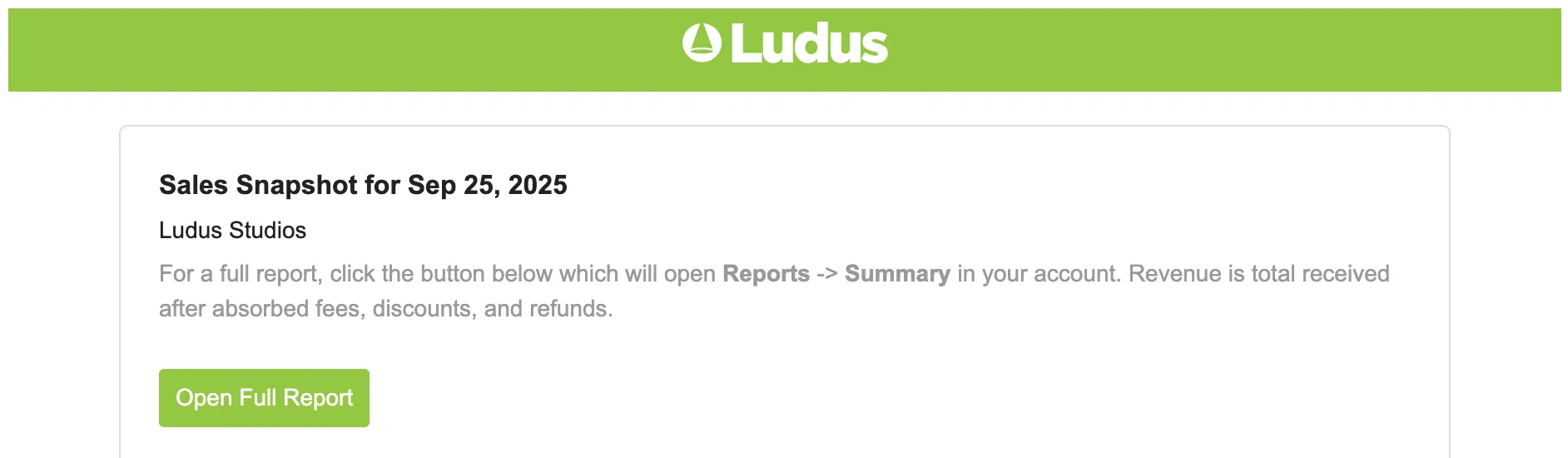
What the Summary Email Includes:
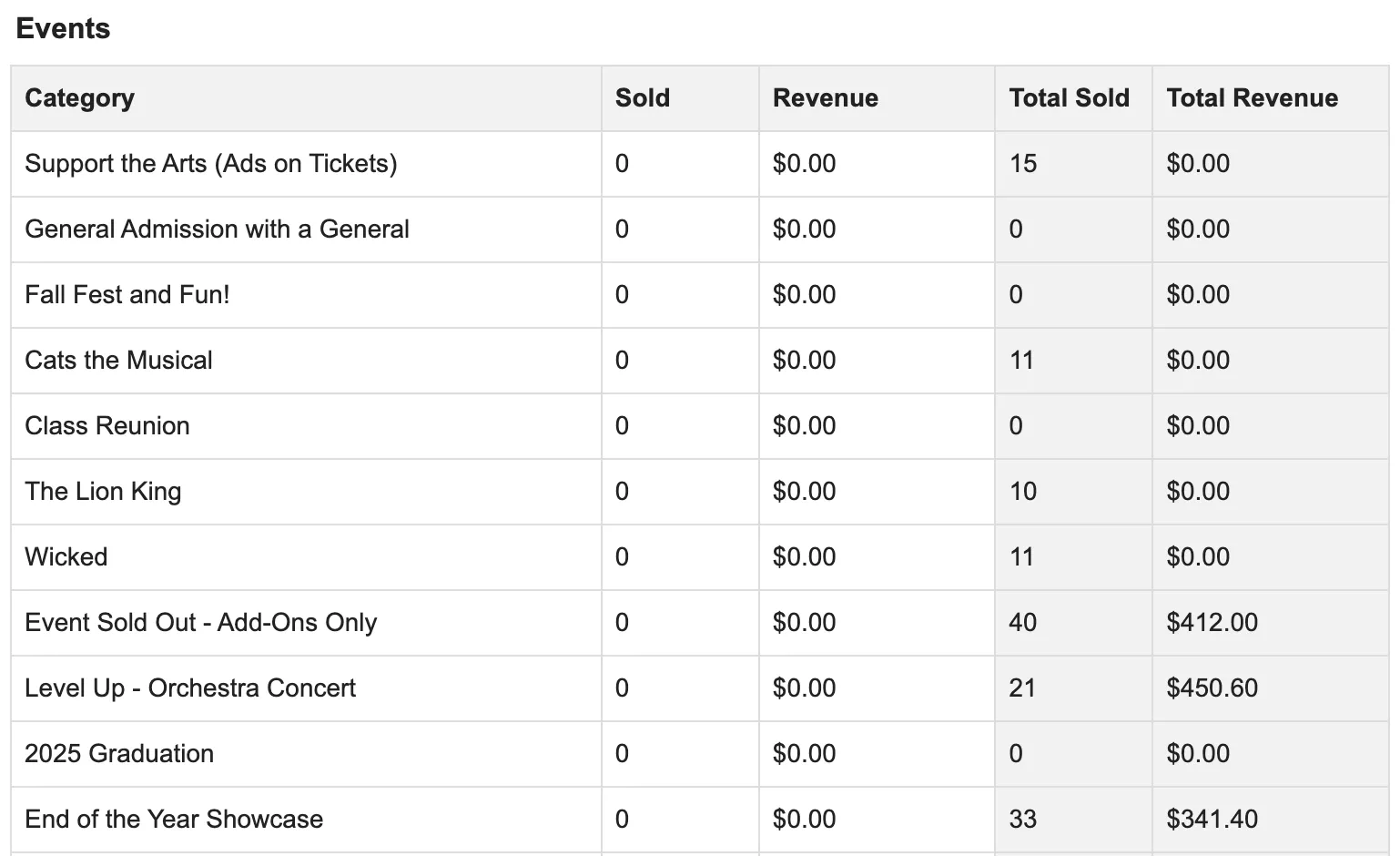
Event Specific Sales
- Tickets Sold (from the day before)
- Revenue (from the day before)
- Total Tickets Sold (for that entire event)
- Total Revenue (for that entire event)
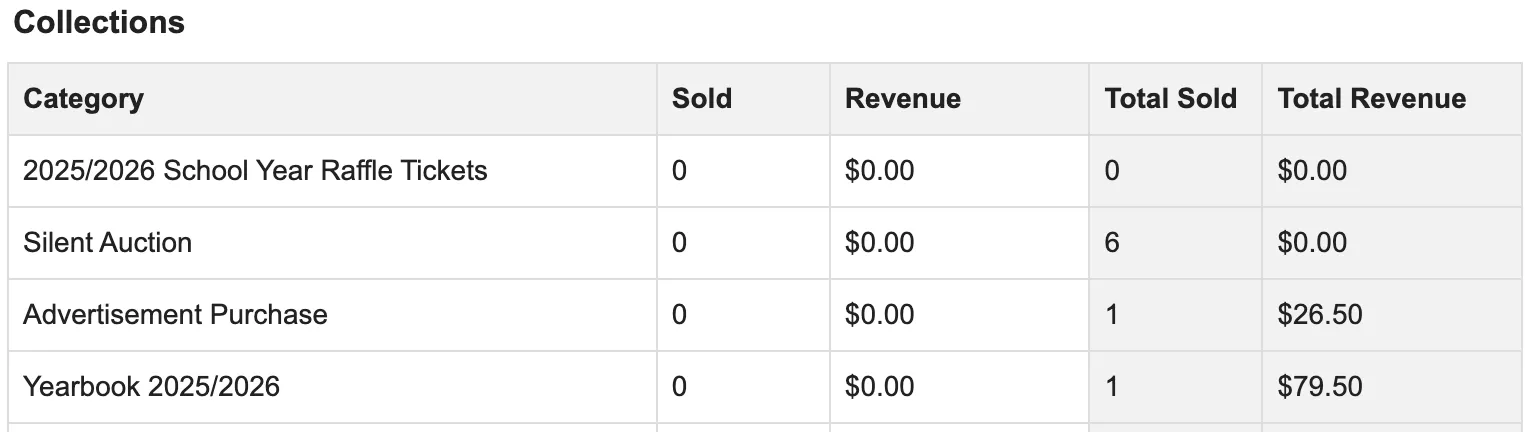
Collection Specific Sales
- Items Sold (from the day before)
- Revenue (from the day before)
- Total Items Sold (for that entire collection)
- Total Revenue (for that entire collection)
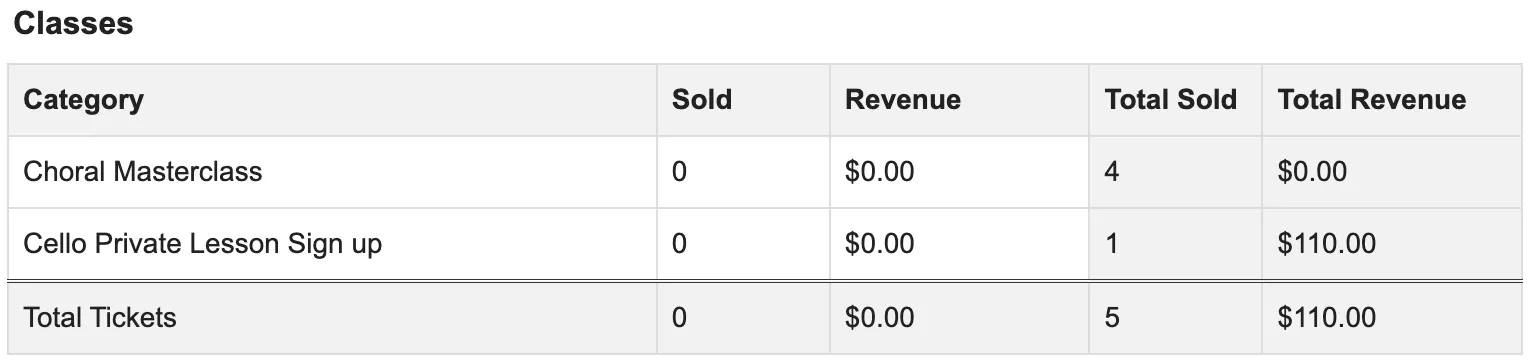
Class Specific Sales
- Class Spots Sold (from the day before)
- Revenue (from the day before)
- Total Class Spots Sold (for that entire class)
- Total Revenue (for that entire class)
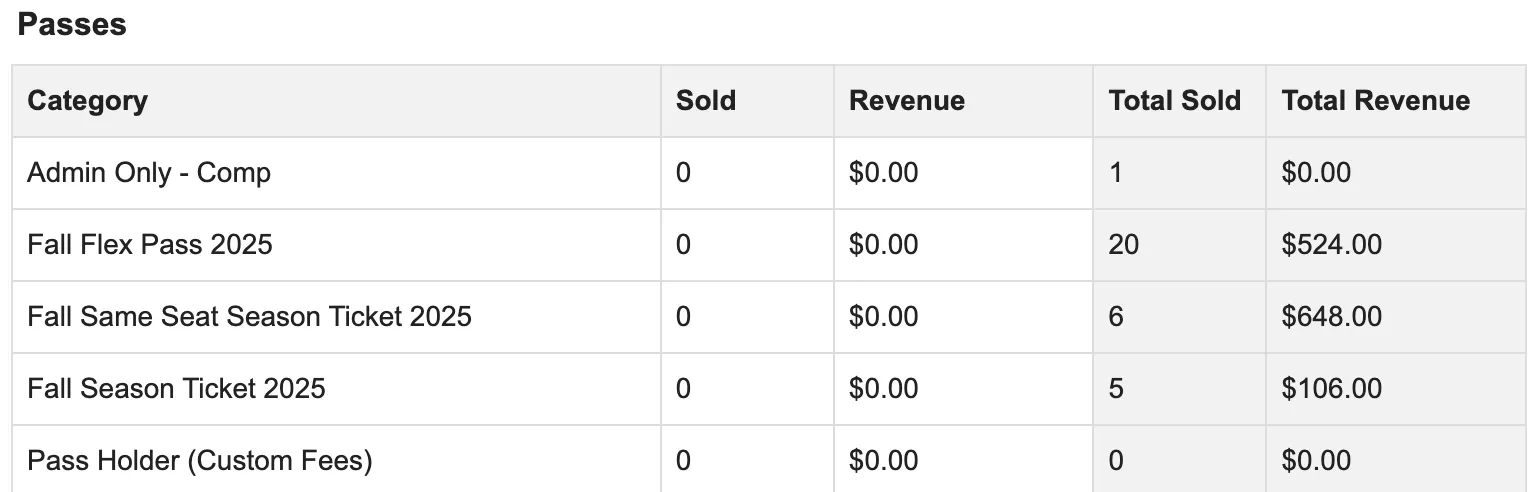
Passes
- Passes Sold (from the day before)
- Revenue (from the day before)
- Total Passes Sold (for that pass category)
- Total Revenue (for that pass category)
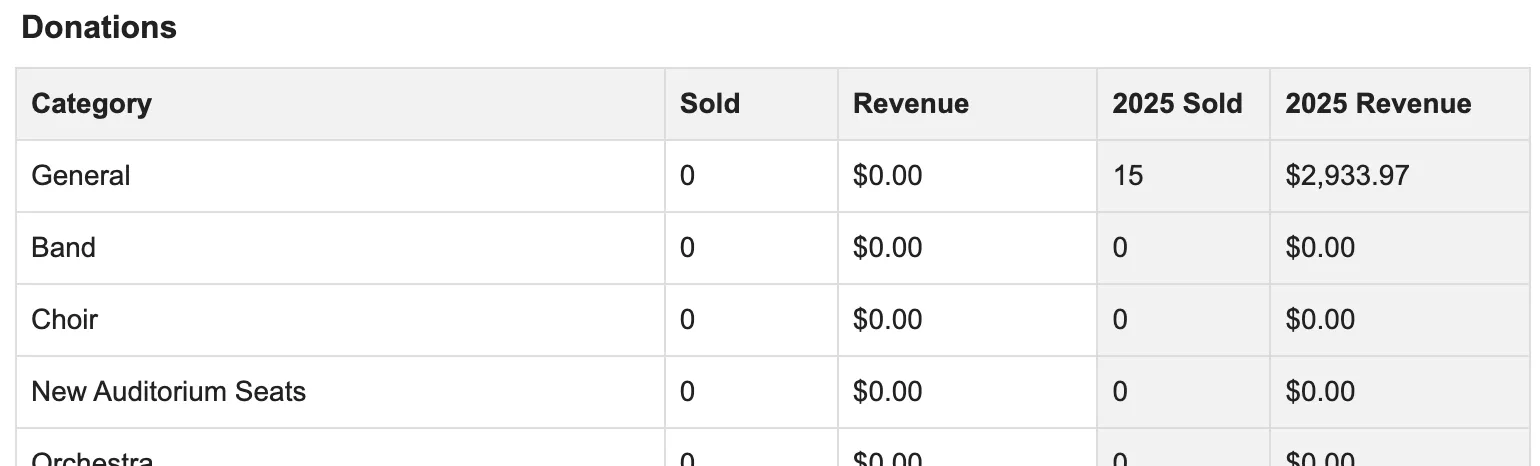
Donations
- Total Donations (from the day before)
- Revenue (from the day before)
- Total Donations (for that donation category)
- Total Revenue (for that donation category)
Gift Cards
- Total Gift Cards Sold (from the day before)
- Revenue (from the day before)
- Total Gift Cards Sold (for that gift card category)
- Total Revenue (for that gift card category)

Itemized
- Item ID
- Type of Item (Ticket, Add-On, etc...)
- Category (Event, Donation, Class, etc...)
- Method (how it was sold)
- Revenue

The Daily Summary is generated around 4:00 AM Eastern and reports all completed orders with an order date on the previous calendar day (midnight to midnight Eastern time). The running totals in the right-hand columns reflect all data as of the moment the email is generated.