Edit a donation
1 min
There may be times you need to go back and edit the details on a donation. Maybe there was a typo or you would like to route the donation to one of your other Donation Categories.
Follow these steps to edit a previous donation.
Look up the donation you'd like to edit. There are multiple ways to do so. If you would like to learn about these options, check out this article.
Suggested Article: Look up a donation
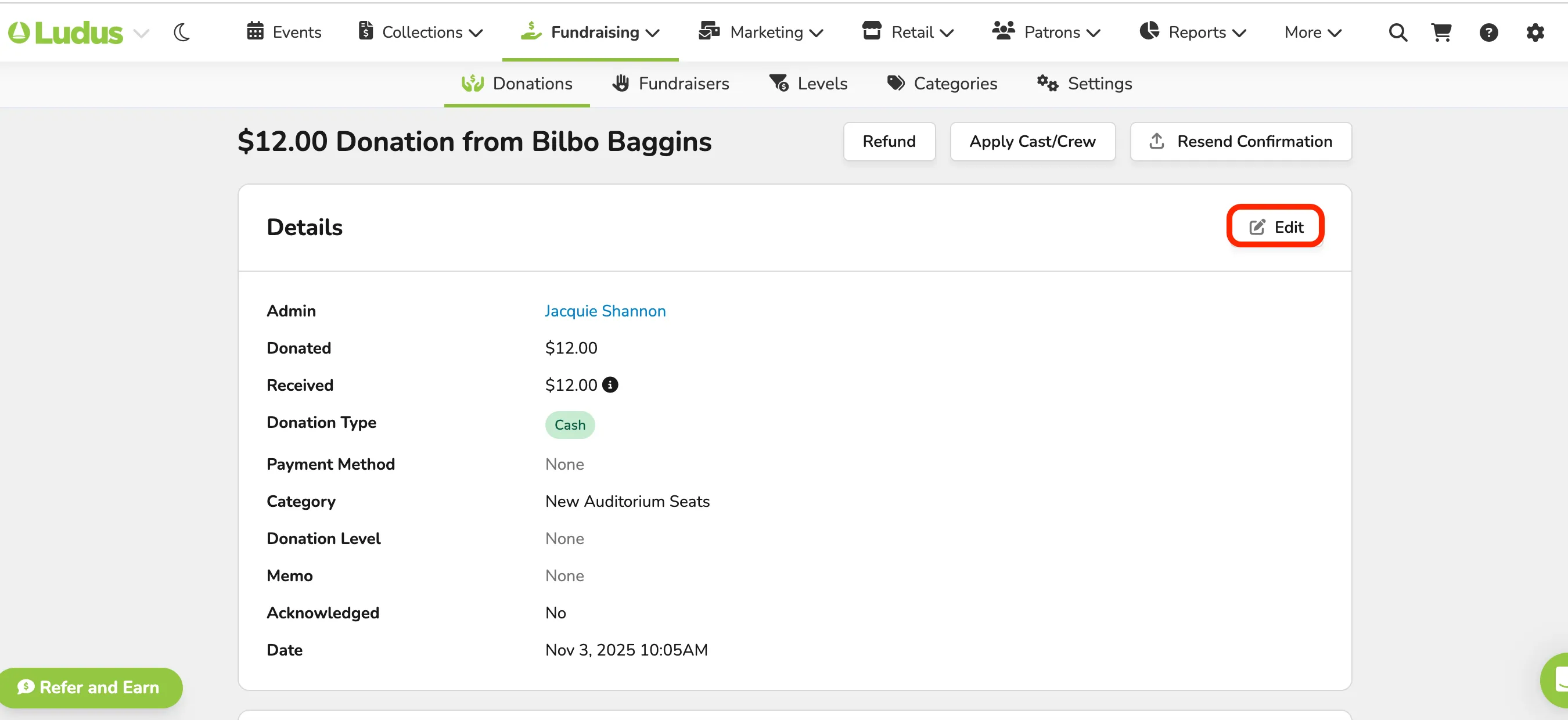
Click Edit next to the section you'd like to alter.
Update the necessary details and click Save Details.
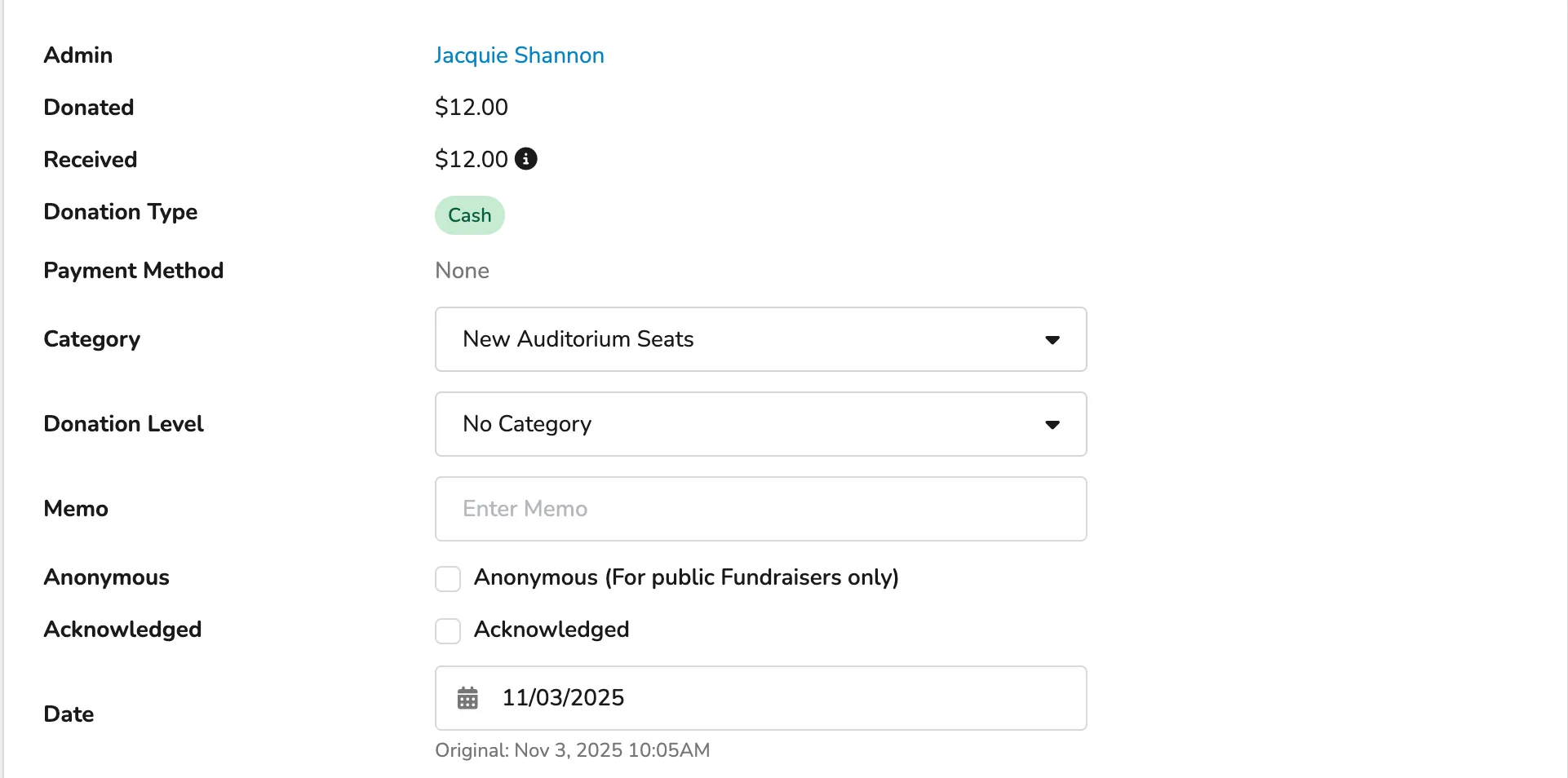
If you need to update the donation date, you can do so here.
To learn more about each section on the donation details page, see this article.
Suggested Article: Overview of Donation details page