Audience filters
4 min
There are many filters within Ludus that allow you to target the users that you want to reach. Check out the full list below.
Tickets
- Tickets Purchased - The number of individual tickets that have been purchased
- Spent on Tickets - The total amount of money spent on tickets
Donations
- Number of Donations - The number of donations that have been made
- Total Donated - The total amount of money donated
- Recurring Donation Amount - The total amount in each recurring donation
- Frequency of Donations - The frequency of a recurring donation (i.e. - monthly, yearly, etc...)
- Last Donation Date - A specific date of when a patron last donated (i.e. - before May 5, 2026).
- Donation Category - Which donation category a patron donated to.
- Donor Level - Which level a donor is currently at.
- 1st Time Donor - If a patron is a first-time donor (within a date range).
- Lapsed Donor - If a recurring donor has lapsed.
Add-Ons
- Add-Ons purchased - The number of Add-Ons that have been purchased
- Spent on Add-Ons - The total amount of money spent on Add-Ons
Passes
- Passes purchased - The number of individual Passes that have been purchased
- Spent on Passes - The amount of money spent on Passes
- Passes held - Whether or not a specific pass has been purchased
Events
- Total events attended - The number of individual events attended
- Total event times attended - The number of individual event times attended
- Events attended - Whether or not a specific event was attended
Patron Info
- Patron tags - whether a patron carries a specific tag.
- Suggested Article: Add patron tags
Marketing
- Mailing Lists - Whether or not a patron is subscribed to a Mailing List
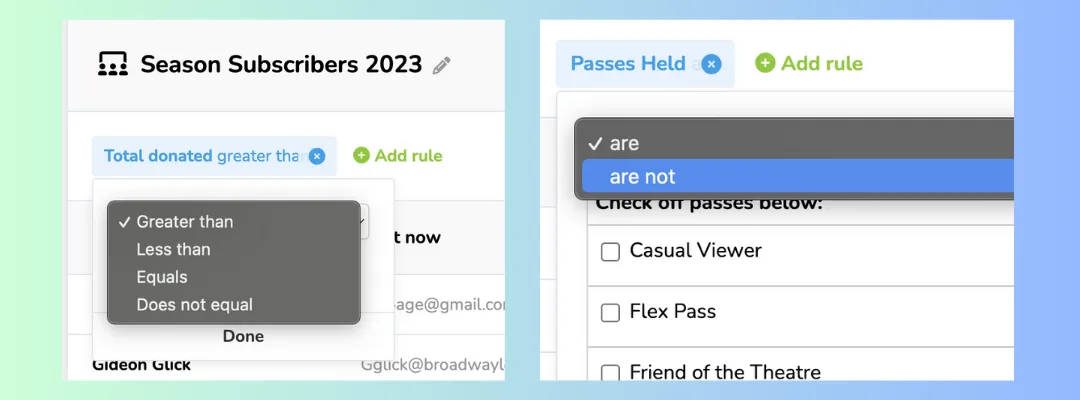
Filters based on a numerical value can be sorted by "greater than", "less than", "equals", or "does not equal".
Filters based on a yes or no binary (such as Events Attended) can sorted by "are", or "are not".