Choose a primary check option
1 min
Set a primary check option
If you have multiple check payout options, you will have a starred primary method. This will be the default option that is selected automatically when you create a new event, collection, donation category, etc. By default, this will be the first payout option that you set up.
To set/alter your primary check option:
Click the Settings wheel icon (⚙️) in the upper right-hand corner of your screen.
Navigate to the Payments tab.
Next to the desired payment option, click the Star icon.
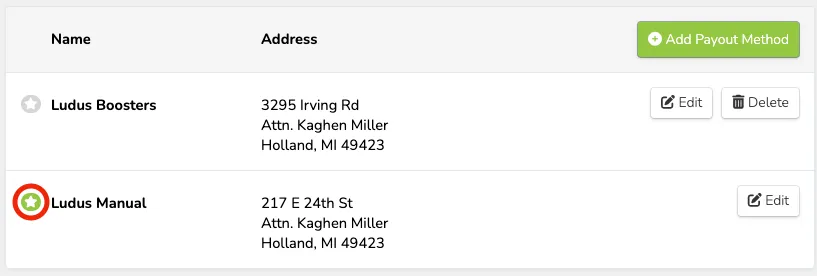
If the start is green, that is your primary check option. You are unable to delete your primary check option.