Connect Ask My Data+ to Claude/ChatGPT
Connecting Ask My Data+ to Claude and ChatGPT
When you upgrade to Ask My Data+ it gives you the ability to connect to Claude or ChatGPT, so you can ask questions and get answers about your ticket sales, patrons, and events without logging into Ludus.
This resource will walk you through connecting your account, asking questions, and disconnecting if needed.
What You Need
Before you start, you will need to have the following:
- Ask My Data+ active on your Ludus site
- Suggested Article: Ask My Data
- A Claude or ChatGPT account
- Your Ludus admin login
Connecting to Claude or ChatGPT
Go to Reports (at the top of your account) -> and select Ask My Data in the dropdown.
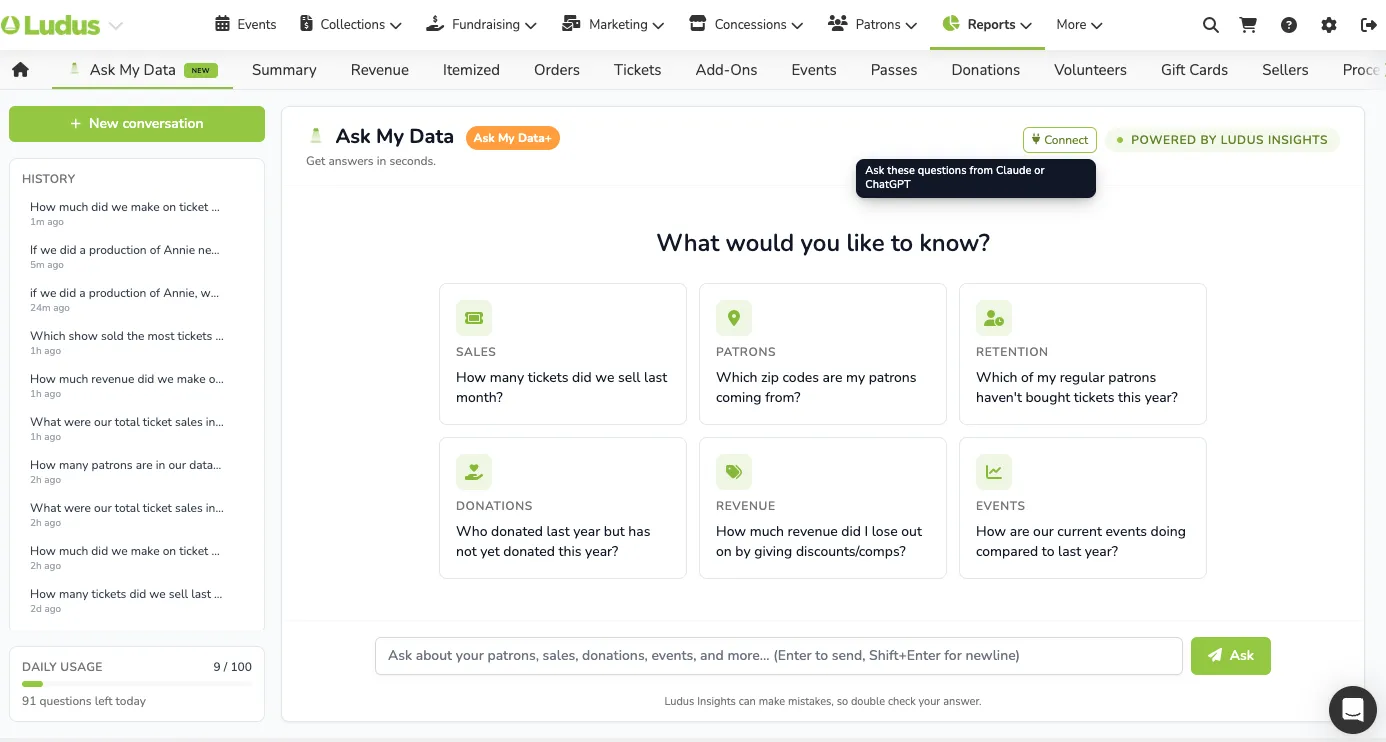
From here, select Connect (near the top right corner of your Ask My Data+ screen).
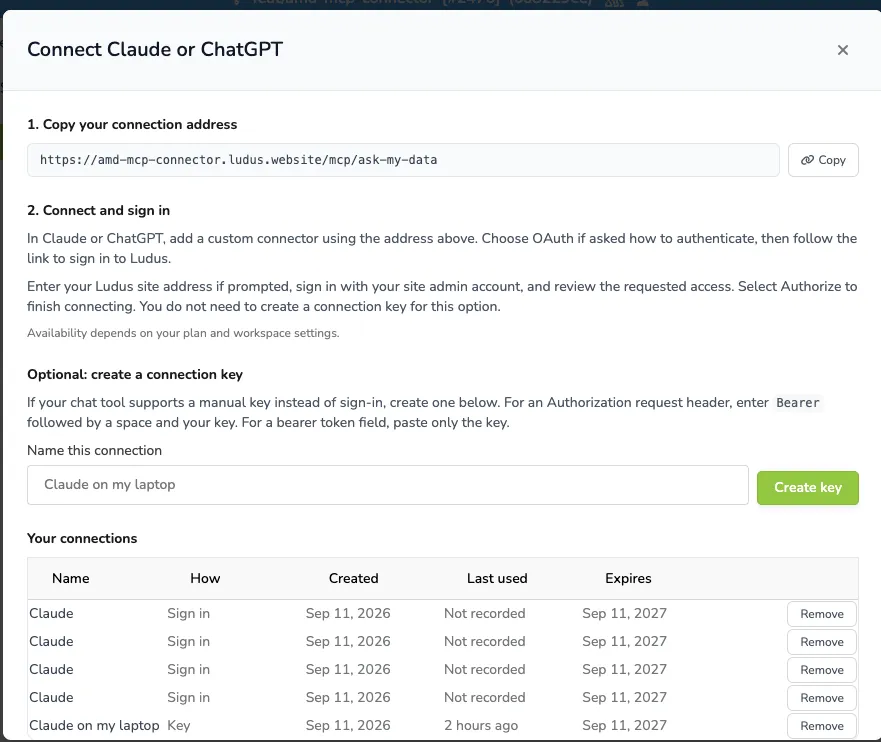
From here you will copy the connection address.
In Claude, go to Settings, then Connectors.
Find the Ludus connector in the list and click Connect.
Enter your site address when prompted.
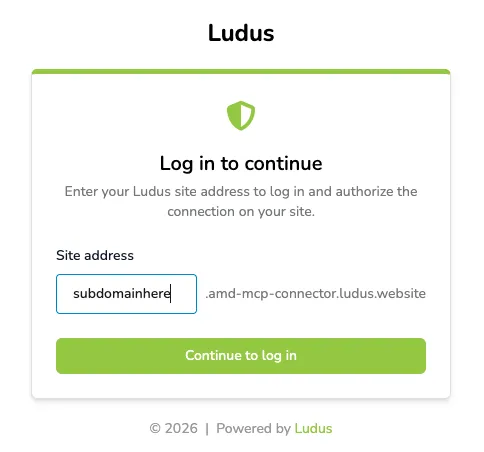
Sign in with your Ludus admin login.
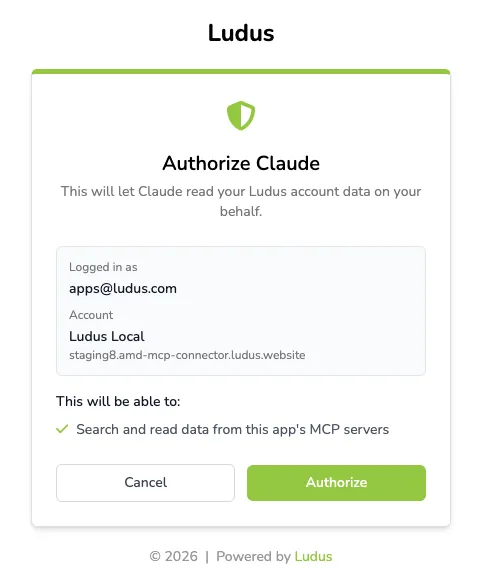
Review the access being requested, then authorize the connection.
Once connected, the Ludus connector will show as active in Claude/Chat GPT and you can start asking questions.
Asking Questions
Once connected, you can ask a question about your account, for example:
"How much did we make on ticket sales this month?"
You may be asked to approve the tool the first time you use it in a conversation. Answers can take a few seconds to come back since they are pulling real data from your account.
Claude and ChatGPT will only use the Ludus connector for questions about your account data, like sales, patrons, or events. General questions, or questions about how to use Ludus, will be answered without using the connector.
Disconnecting
In Claude or ChatGPT, go to Settings, then Connectors.
Find the Ludus connector and select Disconnect.
This removes your personal sign in only. The Ludus connector will still appear in the list for you to reconnect anytime, and it does not affect other users on your account.