Create a Pledge
1 min
Once you have enabled Fundraising+ on your account, you will be able to access and create pledges in Ludus.
Under Pledging, you will be able to adjust Settings (including sender information and memos) and create a New Pledge.
Create a Pledge
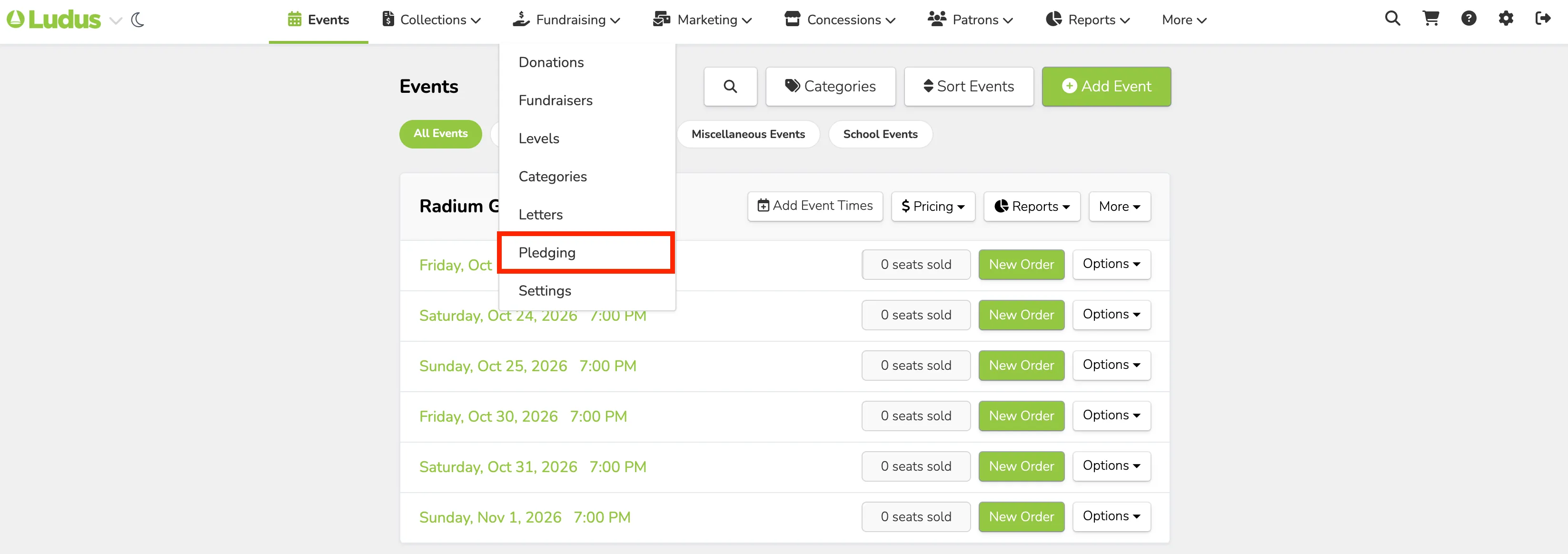
To create a Pledge in Ludus, go to Fundraising (at the top of your account) -> Pledging.
At the top of the Pledging page, select New Pledge.

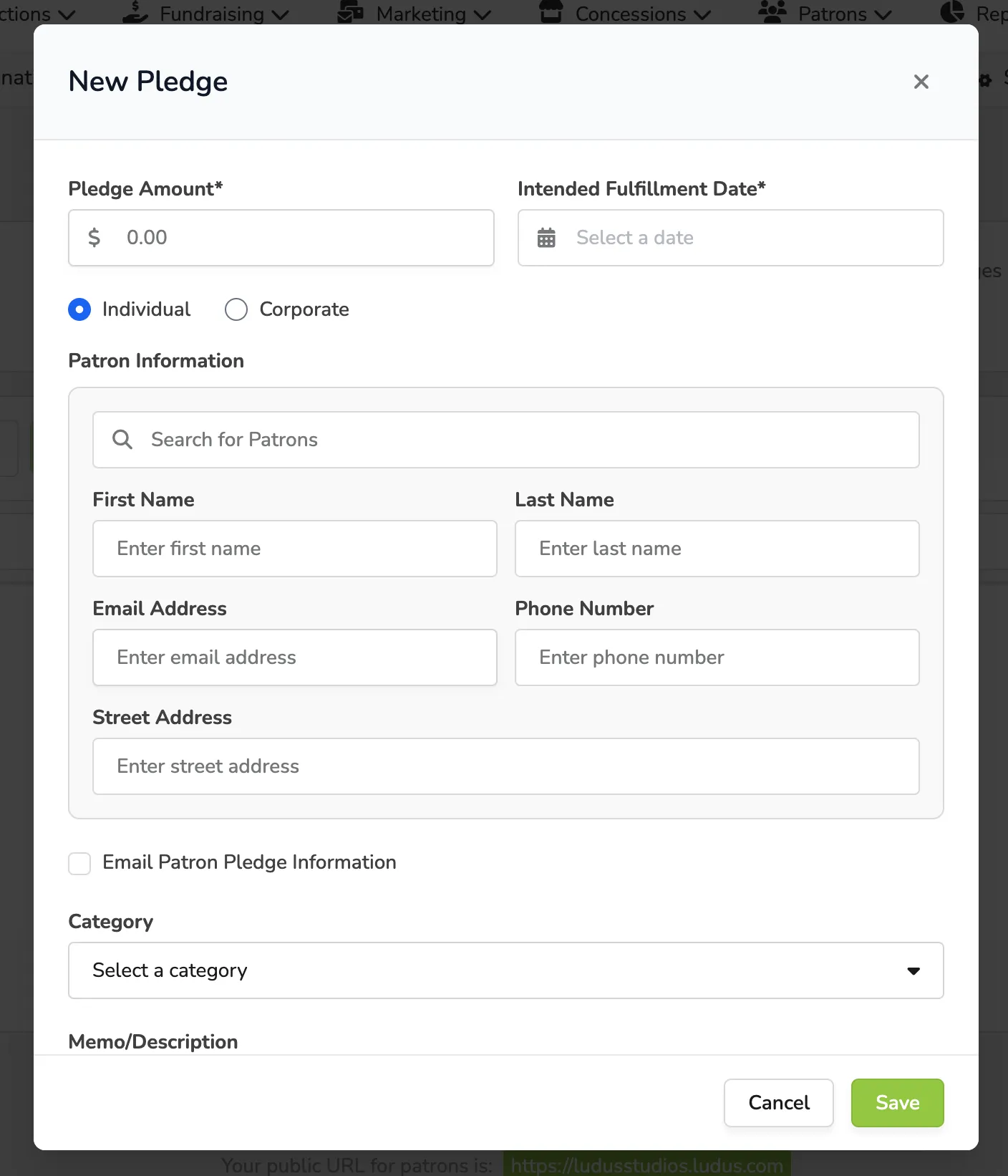
When creating a new Pledge, you will be required to enter:
- The Pledge Amount
- The Intended Fulfillment Date
- Select whether it is an Individual or Corporate Donation
Optionally, you can add:
- Patron Information (name, email, etc.)
- Donation Category
- A Memo
- Private Notes
- Allow the patron to make partial payments