Delayed Tickets
When setting up your event, you can choose to enable Delayed Tickets for your patrons. This means you can hold tickets and email them to patrons closer to the event.
This will apply if you have selected to allow Printing or Digital tickets as retrieval options for your patrons.
Suggested Article: Ticket Retrieval Options
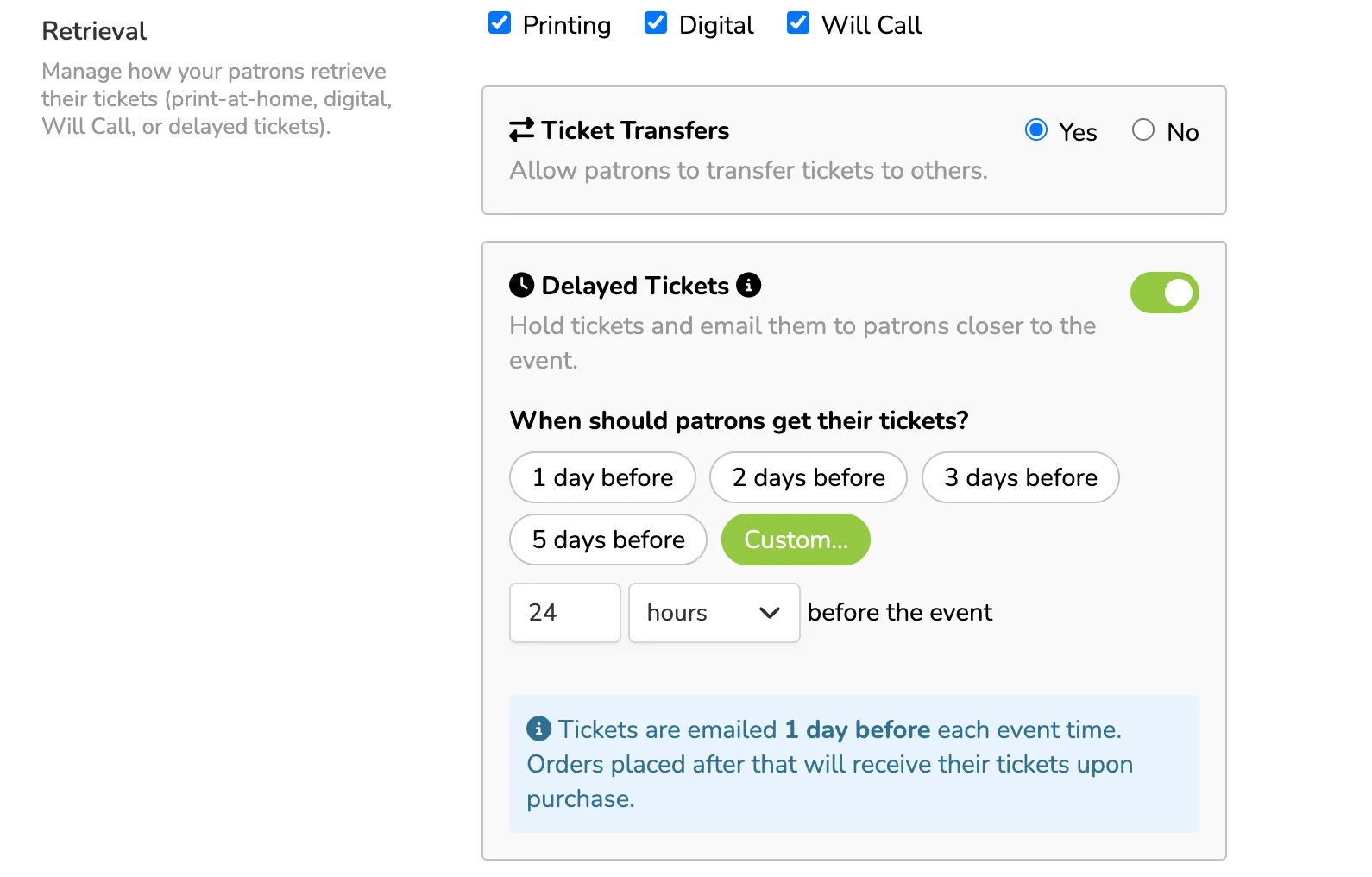
You can choose this delay during event setup, or after you set up your event, go to More (next to your event) -> Settings -> Retrieval, and adjust Delayed Tickets there.
When setting up the delay, you can choose from delays including:
- 1 day before
- 2 days before
- 3 days before
- 5 days before
- Custom delay
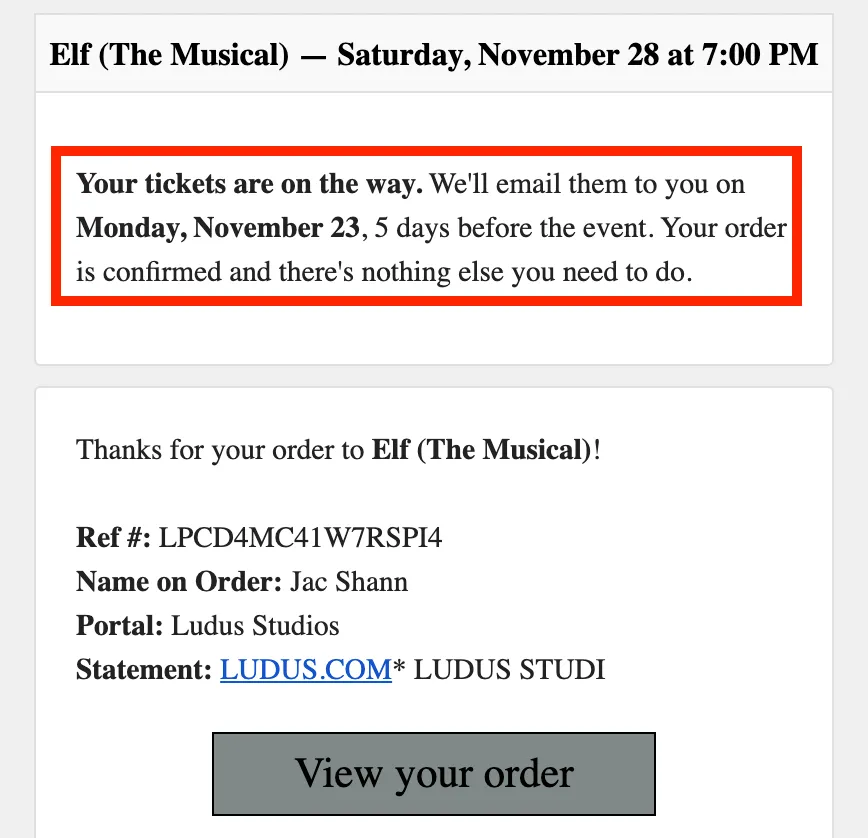
Patrons will continue to receive their confirmation email, but if you have Delayed Tickets enabled, they will have a notice at the top of their confirmation email, letting them know when tickets will arrive.
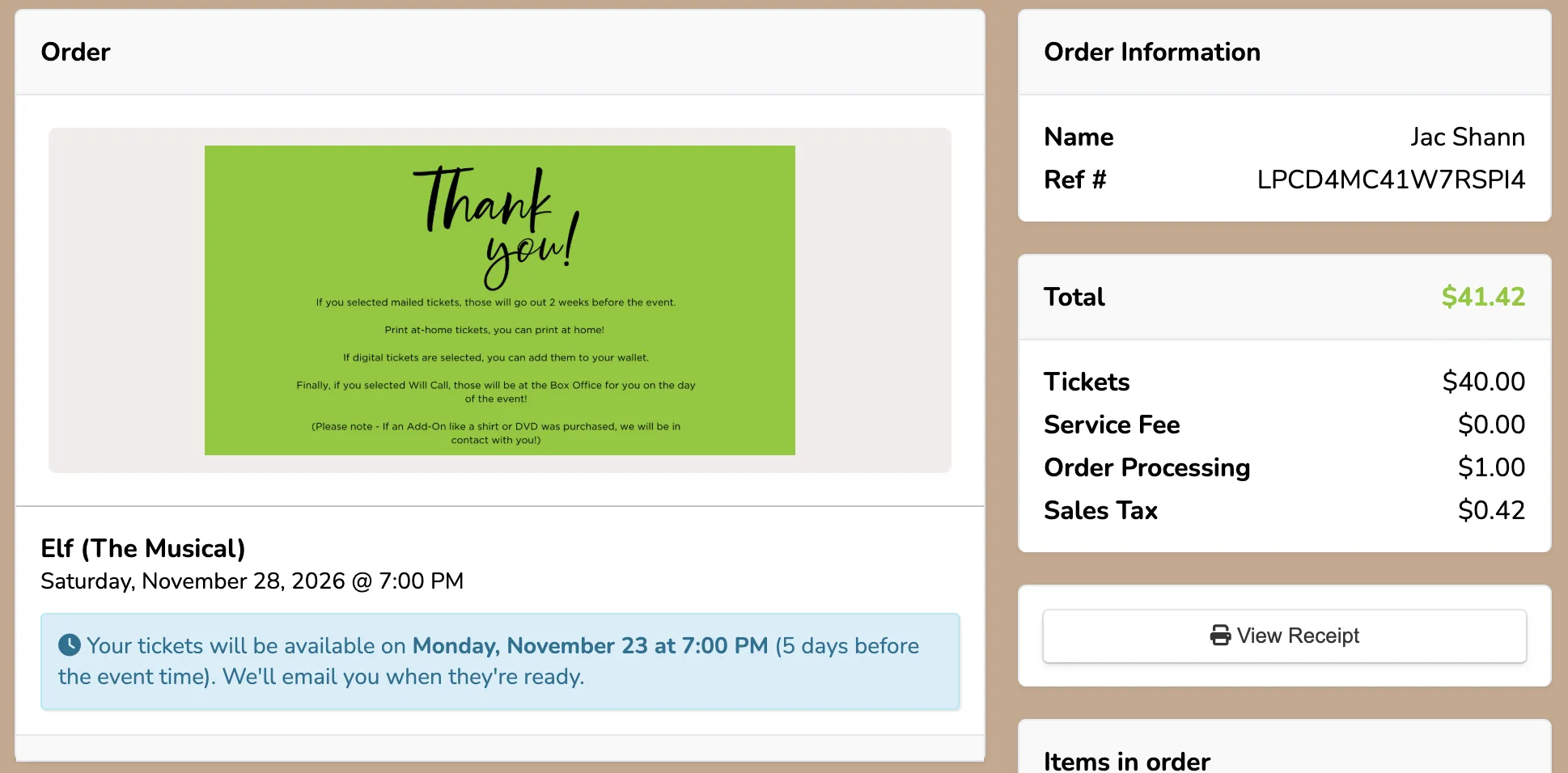
If the patron selects View your order in their confirmation email, they will also see the messaging about delayed tickets on their order confirmation: